Top 10 AI Application Development Platforms for Enterprise in 2026
Building AI-powered applications for enterprise is harder than building a prototype. Here are 10 platforms ranked by what they deliver in production, from visual builders to autonomous agent platforms.
Note: This article covers AI application development platforms for enterprise business workflows — not consumer app builders, mobile AI tools, or BI platforms. If you're evaluating tools to automate internal processes, deploy autonomous agents, or build AI into production workflows, you're in the right place.
The best AI application development platforms for enterprise in 2026 include Nexus (enterprise agent platform with embedded engineers for autonomous workflows), Dify (open-source visual builder for rapid prototyping), LangChain/LangGraph (developer framework ecosystem), Microsoft Copilot Studio (low-code, Microsoft-native), CrewAI (multi-agent Python framework), Google Vertex AI Agent Builder (GCP-native), n8n (workflow automation with AI), Flowise (no-code visual builder), Relevance AI (agent builder for specific business functions), and Haystack (RAG and search framework).
Every enterprise wants AI-powered applications. Few have a clear path from prototype to production. The market has fragmented into dozens of tools, frameworks, and platforms — some are visual builders that deliver a demo in hours, some are code frameworks that give developers full control, some are automation platforms that added "AI" to their feature list, and some are purpose-built for getting AI into production at enterprise scale. The teams that succeed don't pick based on how fast they can prototype. They pick based on how reliably they can get to production outcomes.
According to Gartner's 2024 research on enterprise AI adoption, fewer than 10% of AI proofs of concept successfully transition to full production deployment. The bottleneck isn't building the AI application — it's deploying it into a critical business process where it works reliably, with governance, compliance, monitoring, and organizational adoption. The platforms that optimize for demo speed often make that second step harder.
Here are 10 platforms for building AI applications in 2026, ranked by what they actually deliver for enterprise use cases.
Quick comparison
| Platform | Category | Best for | Requires engineering? | Governance built-in? | Starting price | Time to production |
|---|---|---|---|---|---|---|
| Nexus | Enterprise agent platform + service | Full enterprise workflow automation, any department | No (business teams + FDEs) | Yes (SOC 2 II, ISO 27001/42001, GDPR) | Per-agent (POC first) | Days to weeks |
| Dify | Open-source AI app builder | Prototyping LLM apps quickly | Minimal (prototype), significant (production) | Partial (enterprise tier) | Free (self-hosted); $59/mo cloud | Days (prototype), months (production) |
| LangChain + LangGraph | Developer framework ecosystem | Complex AI agent architectures | Yes (significant) | No | Free (open-source) | Weeks to months |
| Microsoft Copilot Studio | Low-code agent builder | AI agents in the Microsoft ecosystem | Minimal | Partial (Microsoft compliance) | Bundled with M365 | Weeks to months |
| CrewAI | Multi-agent framework | Multi-agent collaboration systems | Yes | No | Free (open-source) | Weeks to months |
| Google Vertex AI Agent Builder | Cloud AI development | AI apps in the Google Cloud ecosystem | Yes (moderate) | Partial (GCP compliance) | Usage-based (GCP) | Weeks to months |
| n8n | Workflow automation + AI | Automating workflows with AI steps | Minimal | No | Free (self-hosted); €20/mo cloud | Days to weeks (simple) |
| Flowise | No-code LLM app builder | Visual chain building for non-developers | Minimal | No | Free (self-hosted) | Days (prototype), months (production) |
| Relevance AI | AI agent builder | Focused AI agents for specific functions | Minimal | No | Free tier; $19/mo+ | Days to weeks |
| Haystack | Developer framework (RAG) | Search and retrieval applications | Yes | No | Free (open-source) | Weeks to months |
What is the best AI application development platform for enterprise?
The right platform depends on one question: are you building to demo, or building to deploy?
Platforms like Dify, Flowise, and Relevance AI are optimized for the first goal. They get you from idea to working prototype fast. That's genuinely useful for exploration and stakeholder buy-in.
Platforms like LangChain, CrewAI, and Haystack give engineering teams maximum control but require your team to solve every production problem — governance, integrations, monitoring, compliance — themselves.
Ecosystem platforms (Copilot Studio, Vertex AI Agent Builder, n8n) work well when your use cases live within their ecosystem's boundaries.
Only one platform on this list — Nexus — is designed around the specific problem of getting AI into production at enterprise scale, with governance, compliance, and accountability for outcomes built into the delivery model.
The platforms, ranked
1. Nexus: Best Enterprise AI Application Platform for Production Outcomes
What it is: An enterprise AI agent platform paired with Forward Deployed Engineers (FDEs) who embed with your team. Nexus doesn't just help you build AI applications. It deploys agents that complete entire business workflows end-to-end: collecting data from multiple systems, validating against business rules, making decisions within guardrails, handling exceptions, and executing actions. Business teams build and own the agents without writing code. FDEs handle integration complexity, deployment, and ongoing optimization.
Why it ranks first for enterprise:
The ranking criteria here isn't "which tool builds the fastest prototype." It's "which platform gets AI applications into production delivering measurable business outcomes at enterprise scale."
Every engagement starts with a 3-month proof of concept tied to specific, measurable outcomes. 100% of POCs have converted to annual contracts. That conversion rate is the result of a deployment model — platform plus FDEs plus change management — designed to close the gap between demo and production that breaks every other approach.
What it looks like in production:
- Orange Group (multi-billion euro telecom, 120,000+ employees): Business team built autonomous customer onboarding agents. 4-week deployment across multiple European markets. 50% conversion improvement. Approximately €6M+ in yearly revenue impact. 90% autonomous resolution rate. 100% team adoption. Previously running a CX chatbot with a 27% drop-out rate. (Nexus client data.)
- European consulting firm (400+ employees): Non-technical teams built five agents across their entire consulting lifecycle — interviews, proposals, staffing, CVs, HR support. Proposal turnaround went from days to hours. Tens of thousands of hours freed monthly. No engineering dependency. (Nexus client data.)
Integration ecosystem: 4,000+ pre-built integrations. Salesforce, ServiceNow, SAP, Dynamics, HubSpot, Workday, Zendesk, and hundreds more. Enterprise integrations are handled by FDEs — not your team.
Governance: SOC 2 Type II, ISO 27001, ISO 42001, GDPR certified. Full audit trails. Decision traceability. Role-based access on every agent interaction.
Pricing: Per-agent, tied to value delivered. Not per-seat. An agent serving millions of interactions costs the same whether you have 500 or 50,000 employees.
Best for: Enterprises that need AI applications completing high-volume business processes in production, with governance, compliance, and someone accountable for outcomes.
Full Nexus vs Dify comparison →
2. Dify: Best AI App Development Platform for Rapid Prototyping
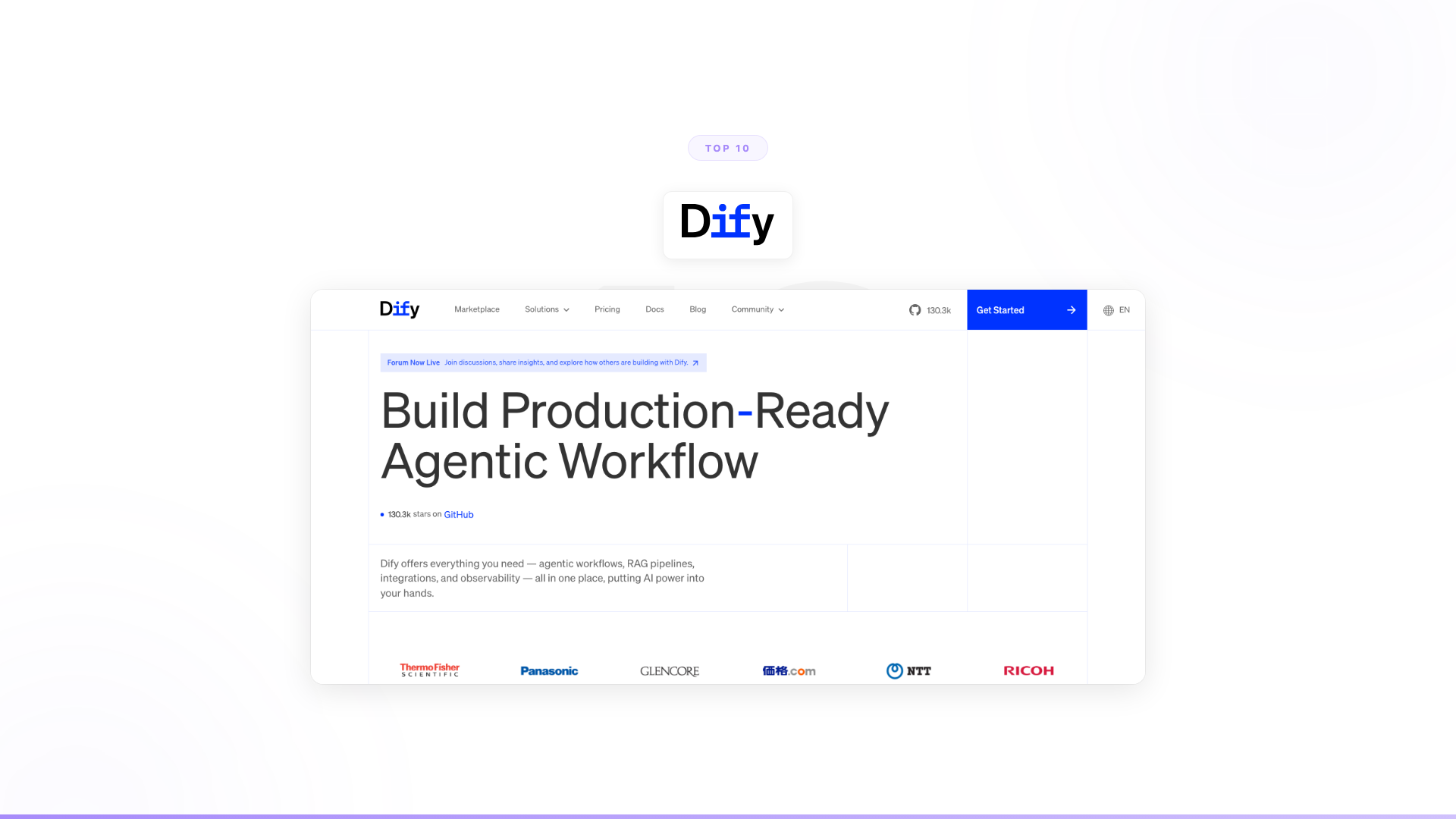
What it is: An open-source platform for building LLM applications with a visual workflow editor. 130,000+ GitHub stars. Dify provides drag-and-drop workflow building, RAG pipeline tools, agent capabilities (Function Calling, ReAct), a plugin marketplace (120+ plugins), and MCP protocol support. Available as self-hosted or cloud deployment.
Strengths: Fastest path from zero to a working prototype. The visual builder dramatically reduces the time to get something demonstrable compared to writing code. Open-source means full transparency and no vendor lock-in at the software level. For teams exploring what AI can do, Dify's experimentation environment is genuinely strong.
Limitations: The gap between prototype and production is real. Self-hosting at enterprise scale means your team owns infrastructure management, security hardening, compliance setup, and ongoing maintenance. The visual builder works well for bounded applications but hits constraints when processes require deep multi-system orchestration, complex exception handling, or autonomous decision-making. Most enterprise system integrations still require custom development beyond the plugin marketplace.
Integration ecosystem: 120+ plugins for common SaaS tools. Custom integrations require engineering.
Pricing: Open-source (free to self-host). Cloud: $59/month (Professional), $159/month (Team). Custom enterprise pricing. Current pricing at dify.ai.
Best for: Developer teams exploring AI applications, prototyping quickly, and building bounded LLM apps where the team can manage the full production lifecycle.
3. LangChain + LangGraph: Best AI Development Framework for Engineering Teams
What it is: The most widely used open-source ecosystem for building LLM applications. LangChain provides chains, agents, retrieval, and tool components. LangGraph adds graph-based agent orchestration for complex workflows with branching, loops, and persistent state. LangSmith provides observability. Together, they give engineering teams maximum flexibility to build any AI application architecture.
Strengths: If your engineers want full control over every layer, nothing matches this ecosystem's flexibility. The community is large (125,000+ GitHub stars). The abstractions cover nearly every LLM application pattern. For teams building AI as a core product feature rather than internal tooling, LangChain gives you the primitives to build exactly what you need.
Limitations: Flexibility comes at a cost: complexity. You're managing four interconnected products (LangChain core, LCEL, LangGraph, LangSmith), each with its own learning curve. Enterprise features — governance, compliance, native integrations, deployment infrastructure — are entirely your team's responsibility. The path from components to production agents is long and engineering-intensive.
Integration ecosystem: Community connectors for major platforms. Enterprise integrations require custom development.
Pricing: Open-source frameworks are free. LangGraph Platform: $0.001/node execution. LangSmith: usage-based. Current pricing at langchain.com.
Best for: Engineering teams that want full code-level control over AI agent architecture and have the capacity to manage the full production lifecycle.
LangChain alternatives ranked →
4. Microsoft Copilot Studio: Best Low-Code AI Platform for Microsoft-Native Teams
What it is: Microsoft's low-code platform for building AI agents within the Microsoft ecosystem. Part of the Power Platform family. Copilot Studio lets users create custom copilots that use generative AI, connect to Microsoft 365 data, and integrate with Power Automate workflows — Microsoft's answer to "we need custom AI applications, not just generic Copilot."
Strengths: Deep integration with the Microsoft stack. If your organization runs on Microsoft 365, Dynamics, Azure, and Power Platform, Copilot Studio connects natively. The low-code builder is accessible to power users. Microsoft's enterprise compliance infrastructure — Azure AD, conditional access, DLP policies — applies out of the box.
Limitations: Deeply tied to the Microsoft ecosystem. Cross-system orchestration beyond Microsoft tools requires significant Power Automate or custom connector development. The low-code builder's agent capabilities are still maturing compared to purpose-built agent platforms. Teams that try to use Copilot Studio to orchestrate workflows spanning multiple enterprise systems outside the Microsoft suite frequently find the integration effort matches or exceeds a custom build.
Integration ecosystem: Native Microsoft 365, Dynamics, Azure, Power Platform. Non-Microsoft integrations via Power Automate connectors or custom development.
Pricing: Bundled with Microsoft 365 licensing tiers. Per-message pricing for additional capacity beyond included allowances. Current pricing at microsoft.com.
Best for: Microsoft-native organizations building AI agents that primarily work within the Microsoft ecosystem.
5. CrewAI: Best AI Framework for Multi-Agent Systems
What it is: An open-source Python framework for building multi-agent AI systems. Define "crews" of specialized agents that collaborate to complete complex tasks. 40,000+ GitHub stars. The abstraction is intuitive: agents, tasks, tools, collaboration. Growing quickly because the mental model is easier to grasp than LangChain's.
Strengths: The multi-agent paradigm is powerful for tasks that benefit from specialization. A research agent, an analysis agent, and a writing agent working together produce better results than a single agent handling everything. CrewAI's abstraction layer makes this pattern accessible to Python developers without deep LLM framework expertise.
Limitations: Still a developer framework. Your team builds, deploys, integrates, and maintains everything. Enterprise governance, compliance, native integrations with enterprise systems, monitoring dashboards, audit trails, organizational change management — none of that is included. Strong for technical exploration and internal tooling; limited for enterprise-scale deployment across departments.
Integration ecosystem: Python-based tool ecosystem. Custom connectors required for enterprise systems.
Pricing: Open-source (free). Enterprise features and cloud hosting at additional cost. Current pricing at crewai.com.
Best for: Python developers building multi-agent systems who want simpler abstractions than LangChain.
6. Google Vertex AI Agent Builder: Best for GCP-Native AI Applications
What it is: Google Cloud's platform for building AI agents. Combines Gemini models, grounding in Google Search and enterprise data, integration with Google Workspace, and deployment infrastructure within GCP. Agent Builder provides tools for creating conversational agents, search agents, and custom AI applications connected to Google Cloud services.
Strengths: Native integration with Google Cloud and Workspace. Google's foundation models (Gemini) are strong. Enterprise data grounding connects agents to BigQuery, Cloud Storage, and other GCP services. For organizations already invested in Google Cloud, the platform fits naturally into existing infrastructure.
Limitations: Tied to the Google Cloud ecosystem. Agent capabilities are broad but not deep for complex business process automation outside GCP. Cross-system orchestration spanning non-Google systems requires custom development. The platform is evolving rapidly, which means capabilities and APIs change frequently — a consideration for teams building production applications that need stability.
Integration ecosystem: Native Google Cloud, Workspace, BigQuery. Non-Google integrations via custom connectors or Cloud Functions.
Pricing: Usage-based within GCP — model inference, storage, and compute costs apply. Current pricing at cloud.google.com.
Best for: Google Cloud organizations building AI agents that primarily work within the GCP and Workspace ecosystem.
7. n8n: Best AI Workflow Automation Platform for Teams Adding AI to Existing Processes
What it is: An open-source workflow automation platform with AI integration capabilities. n8n connects applications and automates workflows with a visual editor. AI nodes let you integrate LLM calls, vector databases, and agent logic into automation workflows. Available as self-hosted or cloud. 50,000+ GitHub stars.
Strengths: Practical approach to adding AI to existing workflows. If you have a working automation in n8n and want to add intelligence to specific steps — classify this email, summarize this document, decide what to do with this ticket — the AI integration is straightforward. The workflow-first mindset means you're building on patterns teams already understand.
Limitations: Workflow automation with AI steps is different from AI-native agents. The architecture is still if-this-then-that with AI intelligence added to specific nodes. For processes requiring autonomous reasoning, complex exception handling, and adaptive decision-making across systems, the workflow model hits the same ceiling as traditional automation. The AI makes individual steps smarter; the overall flow is still rigid.
Integration ecosystem: 400+ built-in integrations with major SaaS tools, databases, APIs, and communication platforms. Strong connector library for mid-market enterprise use cases.
Pricing: Open-source (self-hosted, free). Cloud starts at €20/month. Enterprise pricing available. Current pricing at n8n.io.
Best for: Teams that want to add AI intelligence to existing workflow automation, not build AI-native applications from scratch.
8. Flowise: Best No-Code AI App Builder for Prototyping
What it is: An open-source, no-code tool for building LLM applications with drag-and-drop. Built on LangChain and LlamaIndex components. Flowise makes framework components accessible visually, letting non-developers compose chatbots, RAG pipelines, and simple agent flows without writing code. 30,000+ GitHub stars.
Strengths: Lowest barrier to entry for prototyping. If you want to test whether an LLM can answer questions about your documents, Flowise gets you there in minutes. The visual interface is intuitive. No code required to start.
Limitations: Inherits the limitations of the underlying frameworks and adds its own: reduced flexibility, constrained to what the visual builder supports. The gap between a Flowise prototype and a production application is as wide as with any visual builder. Enterprise governance, compliance, security, and monitoring are your team's responsibility. Not designed for complex multi-system orchestration.
Integration ecosystem: LangChain and LlamaIndex integrations accessible via visual nodes. Enterprise integrations require custom connector development.
Pricing: Open-source (self-hosted, free). Cloud subscription pricing available. Current pricing at flowiseai.com.
Best for: Non-developers or small teams that want to experiment with LLM applications visually, without enterprise production requirements.
9. Relevance AI: Best AI Agent Builder for Focused Business Functions
What it is: A platform for building and deploying AI agents with a visual interface, focused on specific business functions — sales, marketing, support. Provides a no-code agent builder, tool integrations, and deployment capabilities without requiring engineering skills to get started.
Strengths: More agent-focused than general LLM app builders. The platform is designed around the concept of AI agents completing tasks, not just answering questions. For specific functional use cases with a defined scope — prospecting, research, ticket triage — Relevance AI can deliver working agents quickly without a development team.
Limitations: The builder model means your team owns the agents. Enterprise-grade governance, compliance certifications, Forward Deployed Engineers, and cross-department change management are not included. Scales well for individual teams or specific functions; enterprise-wide deployment across departments with full governance is a different challenge requiring additional infrastructure.
Integration ecosystem: Pre-built tool connections for common sales and marketing platforms. Custom integrations via API.
Pricing: Free tier available. Paid plans from $19/month. Enterprise pricing custom. Current pricing at relevanceai.com.
Best for: Small to mid-size teams building focused AI agents for specific business functions without engineering resources.
10. Haystack: Best AI Development Framework for RAG and Search Applications
What it is: An open-source framework by deepset for building production-ready LLM applications, focused on RAG and search. Haystack 2.0 provides a pipeline architecture for connecting retrieval, processing, and generation components. More opinionated than LangChain for the specific domain of search and document question-answering.
Strengths: If your primary need is getting an LLM to accurately retrieve and reason over enterprise documents, Haystack does this better than most. The component system is predictable and well-documented. Built-in evaluation tools help you measure retrieval quality systematically. For search and knowledge applications, it's among the strongest purpose-built choices available.
Limitations: Haystack solves one piece of the AI application puzzle well — retrieval and search — but isn't designed for autonomous multi-step workflow completion. If you need agents that go beyond answering questions to completing business processes end-to-end, Haystack's scope doesn't reach there. Not a replacement for general-purpose agent frameworks.
Integration ecosystem: Document store integrations (Elasticsearch, OpenSearch, Weaviate, Pinecone, others). LLM provider connectors. Limited enterprise workflow integrations.
Pricing: Open-source (free). deepset Cloud has usage-based pricing. Current pricing at deepset.ai.
Best for: Engineering teams building search, RAG, or document QA applications where retrieval quality is the primary challenge.
What AI application development platform doesn't require engineering?
For enterprises that need production AI applications without an engineering dependency, the options divide sharply.
No engineering required (with caveats):
- Nexus — The only option that covers both the platform and the deployment. Business teams build and own agents using natural language. Forward Deployed Engineers handle integration complexity, governance setup, and optimization. This is the only approach on this list where the engineering burden is transferred entirely.
- Relevance AI, Flowise, Dify (cloud) — Visual builders that non-engineers can use to prototype. Getting those prototypes into production at enterprise scale still requires engineering work your team has to do.
- n8n, Copilot Studio — Minimal technical skill needed for simple automation flows. Complex orchestration quickly requires developer involvement.
Engineering required:
- LangChain, CrewAI, Haystack — Code-first frameworks. Significant Python proficiency required.
- Google Vertex AI Agent Builder — Moderate technical skill needed for anything beyond simple conversation flows.
If the question is "can we build and run enterprise AI applications without hiring a development team or managing infrastructure?", the honest answer is: Nexus is the only option on this list where that's genuinely true for production workloads.
How to build vs. buy AI applications for enterprise
The build-vs-buy question comes up at every enterprise evaluating AI development platforms. Here's how to think through it:
Build makes sense when:
- AI is your product, not your internal tooling
- You have a dedicated engineering team with LLM experience
- Your requirements are genuinely unique and no existing platform covers them
- You have 6-18 months of runway before production ROI is required
Buy (platform) makes sense when:
- You need production outcomes in weeks, not months
- Your engineering team is deployed on core product work
- You need governance, compliance, and audit trails without building them yourself
- You've tried building internally and the prototype hasn't reached production
The pattern: Most enterprises that reach out to Nexus have already tried at least one build approach — Copilot Studio for Microsoft-native teams, LangChain or a custom Python build for teams with engineering resources, a workflow automation tool with AI nodes. The prototype worked. The production deployment didn't. The gap isn't the technology — it's the deployment model.
According to industry research on enterprise software implementations, the average time from AI prototype to production deployment exceeds 9 months when teams build and own the infrastructure themselves. Platforms with embedded deployment support compress this to weeks.
Integration ecosystem: which platforms connect to enterprise systems?
Integration capability is the most underrated dimension when evaluating AI application development platforms. The most common enterprise systems and which platforms connect to them natively:
| System | Nexus | Dify | Copilot Studio | LangChain | n8n |
|---|---|---|---|---|---|
| Salesforce | Yes (4,000+ integrations) | Plugin | Power Automate | Custom | Yes (native) |
| ServiceNow | Yes | Custom | Power Automate | Custom | Yes (native) |
| SAP | Yes | Custom | Custom | Custom | Custom |
| Microsoft 365 | Yes | Plugin | Native | Custom | Yes (native) |
| Zendesk | Yes | Plugin | Custom | Custom | Yes (native) |
| Slack / Teams | Yes | Plugin | Native (Teams) | Custom | Yes (native) |
For enterprises where AI applications need to span multiple systems — a workflow that reads from SAP, validates against Salesforce, writes to ServiceNow, and notifies via Slack — integration depth matters more than the quality of the AI builder itself.
Frequently asked questions
Q: What is the best AI application development platform for non-engineers?
For non-engineers who need production AI applications, Nexus is the only option that enables business teams to build and own enterprise agents without writing code, supported by Forward Deployed Engineers who handle integration complexity and deployment. For prototyping and simpler use cases, Dify, Flowise, Relevance AI, and n8n require minimal technical skill. Microsoft Copilot Studio is accessible for teams already using Microsoft 365.
Q: How long does it take to build an enterprise AI application?
With a developer framework (LangChain, CrewAI), typically 3-6 months to first production deployment. With Copilot Studio or Google Vertex AI, 4-12 weeks for straightforward workflows within their ecosystems. With Nexus, 2-6 weeks including production deployment, governance setup, and integrations handled by embedded FDEs. Custom in-house builds typically take 6-18 months. Time to production is the most important variable to evaluate — a fast prototype that takes 12 months to reach production is slower than a slower start that deploys in 6 weeks.
Q: What is the difference between Dify and LangChain for building AI applications?
LangChain is a code-first developer framework requiring Python proficiency — maximum flexibility, maximum engineering investment. Dify is a visual, low-code platform that speeds up prototyping significantly. Dify is faster for getting to a demo; LangChain offers more architectural control for complex production systems. Both require your team to own the production lifecycle, including governance, compliance, and system integrations. Neither includes deployment support.
Q: Does n8n count as an AI application development platform?
n8n is primarily a workflow automation tool with AI integration capabilities — you can add AI steps (LLM calls, classification, generation) to automated workflows. It's not an AI-first development platform but is useful for teams automating processes with AI components, particularly at SMB and mid-market scale. For enterprises building AI-native applications (agents that reason and act autonomously), n8n's workflow model isn't the right architecture.
Q: How do I choose between open-source AI frameworks and enterprise platforms?
Choose open-source frameworks (LangChain, CrewAI, Haystack) if AI is your core product, you have dedicated LLM engineering capacity, and you can absorb 6-18 months to production. Choose enterprise platforms (Nexus, Copilot Studio, Vertex AI) if you need production outcomes in weeks, governance and compliance are requirements, and your engineering team is fully allocated to core product work. The hidden cost of open-source frameworks is not licensing — it's the engineering time to close the prototype-to-production gap.
How to think about the decision
The 10 platforms above fall into four categories, and the right one depends on what problem you're actually solving.
Category 1: Prototyping tools (Dify, Flowise, Relevance AI). Fast to start. Visual builders. Good for testing ideas and building demos. The production gap is real but manageable for bounded use cases with engineering support available.
Category 2: Developer frameworks (LangChain, CrewAI, Haystack). Maximum flexibility. Code-first. Your engineering team owns everything. Good when AI is your product, not your internal tooling.
Category 3: Ecosystem platforms (Copilot Studio, Vertex AI Agent Builder, n8n). Tied to a specific ecosystem. Good when you're already invested and your use cases live within that ecosystem's boundaries.
Category 4: Enterprise deployment (Nexus). Platform plus Forward Deployed Engineers plus change management. Designed for the specific problem of getting AI into production at enterprise scale, with governance, compliance, and accountability for outcomes.
Most teams start in Category 1 or 2. They build something. It works in a demo. Then they discover that the hard part was never building the AI application. The hard part is deploying it into a critical business process where it works reliably, across thousands of users, with compliance, governance, monitoring, and organizational adoption — and doing it in a timeframe that delivers ROI before the initiative loses executive support.
That's the gap. The technology is available across all 10 platforms on this list. What's rare is a deployment model that closes it.
Worth exploring?
If your team has been evaluating AI development platforms and the question has shifted from "can we build a prototype?" to "how do we get this into production at scale?", it might be worth seeing how the decision looks when you remove the engineering burden entirely.
Every Nexus engagement starts with a 3-month proof of concept tied to measurable business outcomes. Forward Deployed Engineers embed with your team. You see the results before committing. 100% of clients who started a POC converted to an annual contract.
Talk to our team, 15 minutes →
See the full Nexus vs Dify comparison →
Related reading
- Top 10 Dify Alternatives for AI App Development
- Top 10 LangChain Alternatives for AI Agents
- Nexus vs Dify: full comparison
- Nexus vs LangChain: developer framework vs enterprise agents
- Top 10 AI Agent Platforms for Enterprise
- How to Build AI Applications for Enterprise
- How to Build AI Agents for Enterprise: Build vs Buy Guide