Top 10 n8n Alternatives for Workflow Automation in 2026
n8n is the fastest-growing open-source automation platform, but its rule-based architecture hits a ceiling when workflows require judgment. Here are 10 alternatives ranked by what they actually deliver in production.
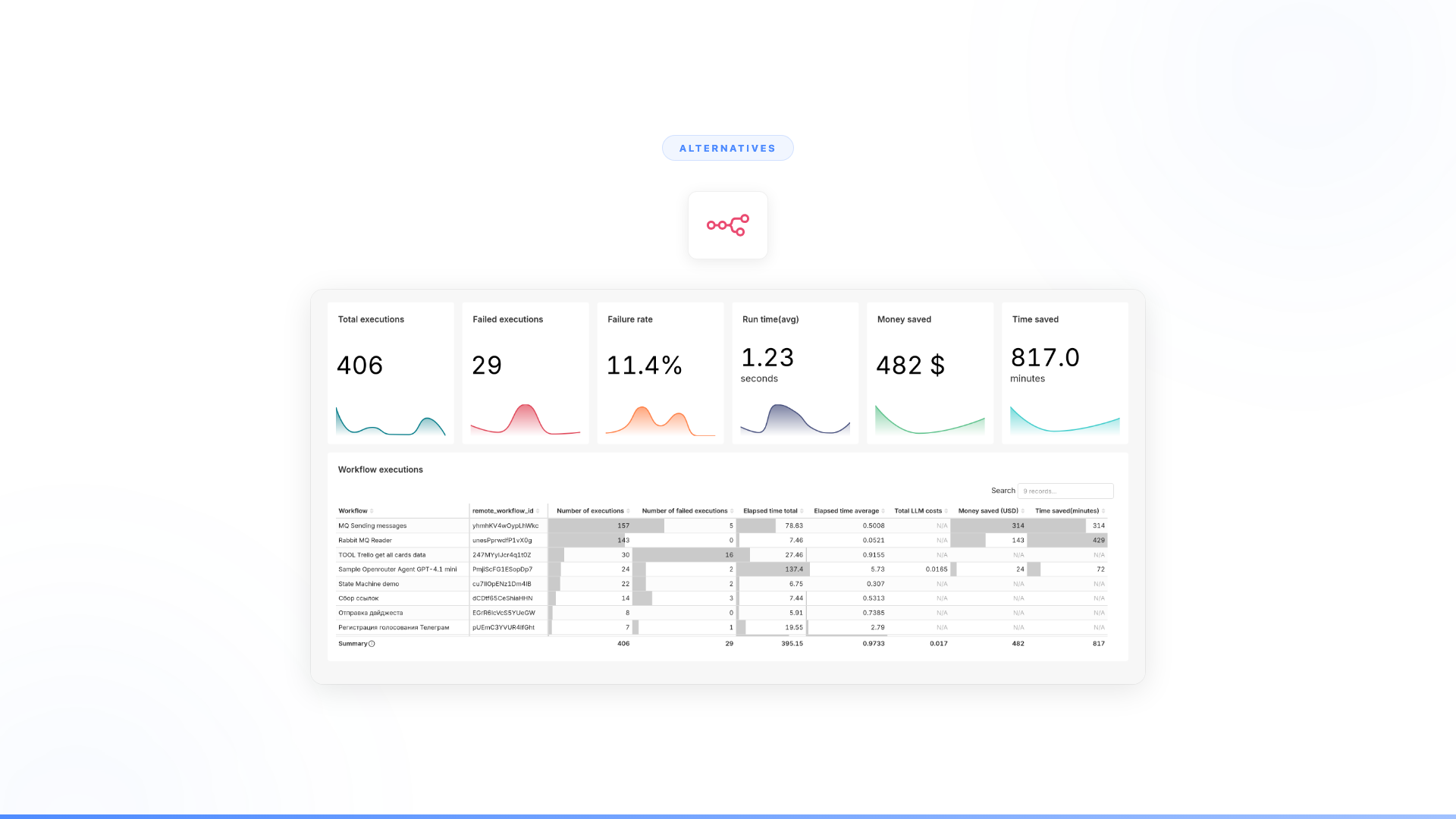
n8n is the fastest-growing open-source automation platform — it topped the 2025 JavaScript Rising Stars rankings with over 112,000 new GitHub stars in a single year and now has 200,000+ community members. For technical teams, its self-hosted architecture and visual node builder are genuinely compelling. The ceiling appears when workflows require judgment, exception handling, or autonomous decisions that rules can't express.
The pattern is consistent. A developer sets up an n8n instance. The first workflows work perfectly — data syncs between systems, webhooks fire, conditional logic routes things correctly. The visual builder makes it easy to understand and iterate. For structured, predictable tasks, n8n is genuinely sturdy.
Then someone asks: can we automate the customer onboarding workflow? The compliance review? The support escalation process? The answer is always the same: not with nodes and branches. n8n executes predefined rules on the structured path. Everything outside that path breaks, routes to a human, or fails silently.
That's not a knock on n8n. It's a category limitation. Workflow automation was built for the predictable 10-20% of enterprise work (Mordor Intelligence). The other 80-90% stays manual because it requires intelligence, not rules. If you're evaluating alternatives, the real question isn't which tool has more integrations or nodes. It's whether you need better automation or something fundamentally different.
Here are 10 alternatives, ranked by what they deliver for teams that have outgrown node-based workflows.
What is n8n used for?
n8n is an open-source workflow automation platform used to connect applications, trigger actions between systems, and build data pipelines. It is popular with technical teams who want full control over their automation infrastructure without per-task pricing. Common use cases include CRM-to-Slack notifications, form submissions creating records, scheduled data syncs, and webhook-triggered workflows.
n8n is free to self-host. The cloud-hosted version starts at approximately $24/month. For structured, predictable workflows, it is one of the most cost-efficient options in the market — n8n's self-hosted model can be dramatically cheaper than per-task platforms like Zapier for high-volume automations. The trade-off is infrastructure overhead and the same rule-based ceiling shared by all node-based tools.
Quick comparison
| Tool | Category | Best for | Handles exceptions? | Pricing model |
|---|---|---|---|---|
| Nexus | Autonomous agent platform | Full enterprise workflow automation with judgment and adaptation | Yes, autonomously | Per-agent |
| Zapier | Trigger-action automation | Simple SaaS-to-SaaS integrations | No, rule-based only | Per-task |
| Workato | Enterprise iPaaS | Complex rule-based integrations with governance | No, routes to humans | Per-connection |
| Make (Integromat) | Visual workflow automation | Mid-market teams wanting visual logic builders | No, same architecture | Per-operation |
| Microsoft Power Automate | Microsoft ecosystem automation | Organizations deep in Microsoft 365 | No, rule-based only | Per-user or per-flow |
| Apache Airflow | Data pipeline orchestration | Data engineering teams running batch jobs | No, DAGs fail on exceptions | Open-source + infra cost |
| Temporal | Durable workflow engine | Engineering teams building long-running processes | No, coded fallbacks only | Open-source or cloud |
| Prefect | Data workflow orchestration | Python-centric data teams | No, retry logic only | Free tier + cloud plans |
| Windmill | Open-source automation | Developer teams wanting a typed, fast alternative to n8n | No, same category | Open-source or cloud |
| Custom build | Internal engineering | Organizations with dedicated AI engineering teams | Depends on what you build | Engineering cost |
n8n pricing vs alternatives at a glance
| Tool | Free tier | Starting paid price | Self-hosted? | Per-task pricing? |
|---|---|---|---|---|
| n8n | Yes (self-hosted, unlimited) | ~$24/month (cloud) | Yes | No |
| Zapier | Yes (limited) | ~$29.99/month | No | Yes |
| Make | Yes (1,000 ops/month) | ~$10.59/month | No | Yes (per operation) |
| Workato | No | $30,000+/year | No | No (per connection) |
| Power Automate | Bundled with M365 | $15/user/month (premium) | No | Yes (per flow option) |
| Airflow | Yes (self-hosted) | $200–500/month (managed) | Yes | No |
| Temporal | Yes (self-hosted) | $200/month (cloud) | Yes | No |
| Prefect | Yes (self-hosted + cloud) | Usage-based | Yes | No |
| Windmill | Yes (self-hosted) | $10/user/month (team) | Yes | No |
The alternatives, ranked
1. Nexus
What it is: An autonomous agent platform paired with Forward Deployed Engineers who embed with your team. Nexus agents complete entire business workflows end-to-end: collecting data, validating it against systems, making decisions within guardrails, handling exceptions, and executing actions. Any department. Any workflow. Business teams build and own the agents. 4,000+ enterprise integrations.
Why enterprises switch from n8n to Nexus:
The category difference is the point. n8n automates the structured path with visual nodes. Nexus agents handle the entire process — including everything that nodes can't reach: ambiguous inputs, judgment calls, exceptions, conversations, and multi-system decisions. One follows rules. The other replaces the human judgment that rule-based automation requires at every exception point.
n8n has added AI agent nodes powered by LangChain. They are useful for incorporating LLM calls into workflows. But a critical limitation remains: the orchestration is still rule-based. Agent nodes lose context between executions with no built-in persistent memory. The workflow still cannot hold a conversation, interpret intent across steps, or make autonomous decisions. If something unexpected happens between nodes, the workflow still breaks. This is not an n8n-specific limitation — it is the structural ceiling of all trigger-action platforms.
What it looks like in production:
- Orange Group (multi-billion euro telecom, 120,000+ employees): Business team built autonomous customer onboarding agents. Deployed across multiple European markets in 4 weeks. 50% conversion improvement. ~$6M+ yearly revenue. 90% autonomous resolution. 100% team adoption. Source: Nexus client data.
- European telecom (13,000+ employees): Spent 6 months with Copilot Studio, could not deliver a single production use case. Deployed a dozen Nexus agents in the same timeframe. 40% support volume freed across millions of interactions. Source: Nexus client data.
Pricing: Per-agent, tied to value delivered. Not per-seat. Every engagement starts with a 3-month POC tied to measurable outcomes. 100% of clients who started a POC converted to an annual contract.
Best for: Enterprises that need AI to complete high-volume business processes, not just route data between systems. Sales, support, compliance, HR, onboarding, operations, reporting.
Full Nexus vs n8n comparison -->
2. Zapier
What it is: The most widely adopted trigger-action automation platform. 8,000+ app connections. No code required. When Event A happens, do Action B. Reliable for simple, predictable workflows: form submissions create CRM records, new rows trigger Slack notifications, email attachments land in cloud storage.
How it compares to n8n: Zapier is easier to start with and has more integrations. n8n gives more control with self-hosting and a visual builder that handles complex branching better than Zapier's linear Zaps. Zapier is higher-level and faster for simple use cases. n8n is lower-level and more cost-efficient for high-volume technical teams — its self-hosted model eliminates per-task fees that compound quickly on Zapier (Contabo comparison).
Why it might not solve the problem: Same category, same ceiling. Zapier follows rules. It cannot handle judgment, exceptions, or ambiguity any better than n8n. If workflows break on the messy cases in n8n, Zapier gives the same architecture with a different interface. The 80-90% of work that requires intelligence stays untouched.
Pricing: Starts at $29.99/month. Enterprise plans with premium connectors run significantly higher.
Best for: Non-technical teams that need simple SaaS integrations without self-hosting overhead.
Full Nexus vs Zapier comparison -->
3. Workato
What it is: Enterprise integration and automation platform (iPaaS). Connects enterprise systems with recipes (their term for workflows). Strong governance features: audit logs, role-based access, environment management. Positioned for IT and RevOps teams at mid-to-large enterprises.
How it compares to n8n: Workato is enterprise-grade where n8n is developer-friendly. Better governance, better compliance posture, more polished enterprise connectors. n8n gives open-source flexibility and self-hosting. Workato gives a managed platform with enterprise support. Both are rule-based automation at their core.
Why it might not solve the problem: Workato handles the governance gap that n8n leaves open, but it does not solve the intelligence gap. Recipes are still if-then-else logic. Exceptions still route to humans. Ambiguous inputs still break the flow. If the bottleneck is workflows that require judgment, Workato is a better-governed version of the same category.
Pricing: Custom enterprise pricing. Typically $30,000+ annually, based on connections and task volumes.
Best for: Enterprise IT teams that need governed, compliant workflow automation and do not require autonomous decision-making.
Full Nexus vs Workato comparison -->
4. Make (Integromat)
What it is: Visual workflow automation platform. Scenarios (their term for workflows) use a visual canvas where you connect modules. More granular control than Zapier, including data transformations, iterators, and error handling routes. Popular with agencies, mid-market teams, and technically-minded non-developers.
How it compares to n8n: Make is the closest direct alternative. Both use visual builders. Both handle complex branching. Make is cloud-native (no self-hosting option), which means less infrastructure overhead but less control. n8n's open-source model gives code-level access. Make's interface is generally more polished for non-developers. Similar capabilities, different trade-offs. Make's free tier includes 1,000 operations monthly — useful for testing workflows before committing to a paid plan.
Why it might not solve the problem: Make and n8n are the same category. Both are reliable on the structured path, brittle on everything else. If n8n workflows break on exceptions, Make workflows will break on the same exceptions. Different canvas, same ceiling.
Pricing: Free tier available. Paid plans start at $10.59/month. Enterprise pricing is custom.
Best for: Mid-market teams that want visual workflow automation without self-hosting. Agencies running multi-client automations.
See n8n vs Make comparison -->
5. Microsoft Power Automate
What it is: Microsoft's automation platform, deeply integrated with the Microsoft 365 ecosystem. Desktop flows (RPA), cloud flows (workflow automation), and process mining. Comes bundled with many Microsoft 365 enterprise licenses.
How it compares to n8n: Power Automate is locked to the Microsoft ecosystem. If your systems are Microsoft-native — SharePoint, Dynamics, Teams, Outlook — Power Automate's integrations are deeper and more reliable than n8n connectors. n8n is system-agnostic and open-source. Power Automate is easier for Microsoft shops; n8n is more flexible for mixed environments.
Why it might not solve the problem: Same rule-based architecture. Power Automate flows follow if-then-else logic. Exceptions route to humans or error out. Copilot Studio adds conversational AI on top, but it is a thin layer over the same rule-based foundation. For workflows that genuinely require autonomous judgment, the architecture does not change.
Pricing: Included with some Microsoft 365 plans. Premium flows start at $15/user/month. Per-flow plans at $100/flow/month.
Best for: Microsoft-native organizations that want basic automation tightly integrated with 365, and whose workflows do not require judgment.
6. Apache Airflow
What it is: Open-source platform for programmatic workflow orchestration, primarily used by data engineering teams. Workflows are defined as Directed Acyclic Graphs (DAGs) in Python. Originally built by Airbnb. Now an Apache Software Foundation project with substantial community adoption.
How it compares to n8n: Completely different use case. n8n is for application integration (connect App A to App B). Airflow is for data pipeline orchestration (extract data from Source A, transform it, load it into Warehouse B). n8n is visual. Airflow is code-first Python. They rarely compete directly, but teams evaluating n8n alternatives sometimes consider Airflow when the underlying need is data orchestration, not app integration.
Why it might not solve the problem: Airflow orchestrates data pipelines. It does not handle business processes, conversations, or judgment calls. DAGs fail when tasks throw exceptions. Retry logic handles transient failures, not ambiguous inputs. If you are looking for an n8n alternative because your workflows need intelligence, Airflow is a step sideways into data engineering, not forward into autonomous automation.
Pricing: Open-source (free). Managed versions — Astronomer, Google Cloud Composer, Amazon MWAA — start at $200–500/month.
Best for: Data engineering teams that need Python-based pipeline orchestration. Not a replacement for business workflow automation.
7. Temporal
What it is: Durable execution platform for building reliable, long-running applications. Workflows are written in code (Go, Java, Python, TypeScript, .NET). Built-in handling for retries, timeouts, and failure recovery. Originally created by the team behind Uber's Cadence.
How it compares to n8n: Temporal is for developers building production-grade distributed systems. n8n is for visual workflow automation. There is almost no overlap in user experience. Temporal gives infrastructure-level reliability for code-based workflows. n8n gives a visual builder for connecting apps. Teams consider Temporal when they need deterministic, long-running workflows that survive system failures.
Why it might not solve the problem: Temporal is strong engineering infrastructure, but it is workflow orchestration at the code level. It handles retries and failure recovery reliably. It does not handle judgment, conversations, or autonomous decisions. Your developers still have to anticipate and code every possible path. Every new exception is a new code branch. The ceiling is higher than n8n, but it is the same ceiling: rule-based logic that breaks on ambiguity.
Pricing: Open-source (free, self-managed infrastructure). Temporal Cloud starts at $200/month.
Best for: Engineering teams building long-running, distributed workflows that require durability guarantees. Not for business users.
8. Prefect
What it is: Modern data workflow orchestration platform. Python-native. Define workflows as Python functions with decorators. Built-in observability, scheduling, and retry logic. Positioned as a modern alternative to Airflow with a better developer experience.
How it compares to n8n: Same distinction as Airflow. Prefect is for data pipelines; n8n is for app integrations. Prefect is more Pythonic and has a cleaner developer experience than Airflow. But the use case is data engineering, not business process automation.
Why it might not solve the problem: If you need data pipeline orchestration, Prefect is excellent. If you need business workflows that handle judgment and exceptions, Prefect does not reach there. It orchestrates tasks; it does not make decisions.
Pricing: Free self-hosted tier. Prefect Cloud has a free tier (limited) with paid plans scaling by usage.
Best for: Python-centric data teams that want a modern alternative to Airflow.
9. Windmill
What it is: Open-source developer platform for building internal tools, workflows, and scripts. Supports TypeScript, Python, Go, SQL, and more. Fast execution engine. Type-safe with auto-generated UIs for scripts. Positions itself as a faster, typed alternative to n8n and Retool. Over 3,000 organizations have adopted it as of 2025 (Shakudo).
How it compares to n8n: Windmill is the closest open-source competitor in terms of positioning. Both are self-hosted, both are developer-oriented, both target internal automation. Windmill is more code-first (scripts with auto-generated UIs) where n8n is more visual-first (nodes with optional code). Windmill is faster at execution and has stronger typing. n8n has a larger community — 200,000+ members and 100,000+ GitHub stars — and more integrations.
Why it might not solve the problem: Same category ceiling. Windmill handles structured automation with scripts and flows. Exceptions require coded fallback logic. Ambiguous inputs break the flow. If you are leaving n8n because workflows need intelligence, Windmill gives a faster, more typed version of the same limitation.
Pricing: Open-source (free). Team plan at $10/user/month. Enterprise pricing is custom.
Best for: Developer teams that want a typed, fast open-source platform for internal automation and tooling.
10. Custom build
What it is: Building workflow automation in-house using frameworks like LangChain, LangGraph, CrewAI, or raw code. Your engineering team designs the architecture, writes the code, handles deployment, monitoring, security, governance, and maintenance.
How it compares to n8n: Maximum flexibility. You can build exactly what you need, including intelligence, conversations, and autonomous decisions. For organizations with strong AI engineering teams and unique requirements, custom builds can work.
Why it might not solve the problem: Most enterprises do not have surplus AI engineering capacity. The engineers you have are working on your core product. Custom builds also require you to solve governance, security, compliance, and maintenance yourself. The timeline for any meaningful AI initiative is typically measured in quarters, not weeks — and requirements change during that cycle. The opportunity cost of pulling engineering from core product work is real and compounding.
Pricing: Engineering salaries plus infrastructure. Typically 3–6 months for a first production agent, with ongoing maintenance costs.
Best for: Organizations with dedicated AI engineering teams, unique technical requirements, and timelines that can absorb 6+ months of development.
What is the difference between n8n and Zapier?
n8n and Zapier both use trigger-action logic to automate workflows. The core difference is architecture and control.
n8n is open-source and self-hostable. You manage your own infrastructure, which means your data stays in your environment and there is no per-task pricing. This makes it dramatically more cost-efficient for high-volume automations. The trade-off: n8n assumes familiarity with concepts like JSON data structures and HTTP requests. Non-technical users find the learning curve steep (multiple comparisons).
Zapier is cloud-only, simpler to start, and reaches non-technical users easily — most people can build their first automation in minutes. But it charges per task, which gets expensive at scale, and offers no self-hosting option for data-sensitive workflows.
Both share the same structural ceiling: rule-based automation that handles the structured path and breaks on exceptions.
What is the difference between n8n and Make (Integromat)?
Both are visual workflow automation platforms targeting teams that want more flexibility than Zapier.
Make uses a visual canvas with modules. n8n is more developer-oriented with code node support and self-hosting. For technical teams, n8n is often preferred because of its open-source model and self-hosted option. For visual builders who do not want to manage infrastructure, Make's interface is generally more intuitive and its free tier (1,000 operations/month) more accessible.
The deeper comparison: n8n is open-source with a large and growing community (100,000+ GitHub stars, 200,000+ community members). Make is proprietary and cloud-only. For teams that value data control, n8n wins on architecture. For teams that want a polished cloud experience without infrastructure, Make is the stronger choice.
Neither handles judgment, exceptions, or autonomous decisions — they are the same category, with different trade-offs on control versus ease of use.
So which alternative should you actually choose?
The honest answer depends on what is breaking.
If the problem is self-hosting overhead, and you want the same category of tool without infrastructure management, look at Zapier, Make, or Workato. They are cloud-native rule-based automation. Same ceiling, less operational burden.
If the problem is governance and compliance, and n8n's self-hosted setup does not meet your enterprise security requirements, look at Workato or Power Automate. They have enterprise compliance built in. Still rule-based, but governed.
If the problem is data pipeline orchestration, and you have been forcing n8n to do data engineering work, look at Airflow, Prefect, or Temporal. Purpose-built for that use case.
If the problem is that your workflows break on exceptions, require judgment, involve conversations, and demand autonomous decisions, that is a different category of problem. Rule-based tools, no matter how polished, cannot handle what rules cannot express. The 80-90% of enterprise work that is still manual stays manual because it requires intelligence, not better automation.
That is what Nexus was built for.
Orange did not need a better workflow builder. They needed agents that complete customer onboarding autonomously — deployed in 4 weeks, 50% conversion improvement, ~$6M+ yearly revenue, 100% team adoption.
A major European telecom did not need another automation platform. They deployed a dozen Nexus agents in 12 weeks. 40% of support volume freed across millions of interactions.
The gap between automation and agents is not a feature gap. It is a category gap. No amount of adding AI nodes to a rule-based flow closes it.
FAQ
What is n8n used for?
n8n is an open-source workflow automation platform used to connect applications, automate repetitive tasks, and build data pipelines. It is most popular with technical teams who want full control over their automation infrastructure — particularly the ability to self-host and avoid per-task pricing. Common use cases include syncing data between systems, triggering Slack notifications from CRM events, webhook-driven workflows, and scheduled data transfers. For purely rule-based, structured automation, n8n is one of the most cost-efficient options available.
Is n8n free?
n8n is free to self-host with no limits on workflow executions. The cloud-hosted version starts at approximately $24/month. Enterprise pricing is custom. Self-hosting eliminates per-task fees but requires managing and maintaining your own infrastructure, which adds operational overhead. For high-volume automations, the self-hosted model can be dramatically cheaper than per-task platforms — the absence of execution-based pricing is one of n8n's primary advantages over Zapier and Make.
Can n8n handle AI agents?
n8n has AI nodes that can call LLM APIs, but those nodes operate within the same trigger-action workflow model. There is no persistent memory between workflow executions and no genuine autonomous decision-making — the AI generates text or data within a node, but the workflow itself still follows predefined paths. If an input falls outside what was anticipated when the workflow was designed, the workflow breaks or routes to a human. n8n is useful for incorporating AI calls into structured automations; it is not a platform for autonomous agents that reason, adapt, and handle exceptions independently.
What is the difference between n8n and Zapier?
n8n and Zapier both use trigger-action logic. n8n is open-source and self-hostable, with no per-task pricing and full data control. Zapier is cloud-only, simpler to start, and designed for non-technical users. For high-volume automation, n8n can be dramatically cheaper. For teams without technical users who want to move quickly, Zapier's interface and integrations (8,000+ apps) are unmatched. Both share the same rule-based architecture and the same ceiling on handling exceptions and judgment-intensive workflows.
What is the difference between n8n and Make (Integromat)?
Both are visual workflow automation platforms with more flexibility than Zapier. n8n is open-source and self-hostable with a developer-oriented interface. Make is cloud-only with a more polished visual canvas and a free tier (1,000 operations/month) that makes it easy to test. n8n has a larger and faster-growing community — 100,000+ GitHub stars and 200,000+ members. Make is generally easier for non-developers. Neither handles exceptions, judgment, or autonomous decisions — both are rule-based automation platforms with different trade-offs on control versus ease of use.
Worth exploring?
Every Nexus engagement starts with a 3-month proof of concept tied to measurable outcomes. Forward Deployed Engineers embed with your team from day one. You see the results before committing. You can exit anytime.
100% of clients who started a POC converted to an annual contract. Every one.
See the full Nexus vs n8n comparison -->
Related reading
- Nexus vs n8n: full comparison
- Nexus vs Zapier: rule-based automation vs intelligent agents
- Nexus vs Workato: enterprise iPaaS vs autonomous agents
- Top 10 open-source automation tools for enterprise
- n8n vs Make: workflow automation compared
- How to choose a workflow automation platform
- How to automate business workflows with AI agents