How to Automate Document Analysis with AI (2026 Enterprise Guide)
From manual document review to AI-powered analysis to full workflow automation. A practical guide for enterprise teams who need AI that doesn't just read documents but acts on the findings.
To automate document analysis with AI, move through three levels: basic extraction (AI that reads and summarizes), intelligent processing (AI that pulls structured data from variable formats), and fully autonomous document agents that collect, validate, route, act, and audit across enterprise systems. Start by mapping the full end-to-end process around your documents — most enterprises find that document reading is only 20–25% of total process time. The remaining 75–80% is cross-referencing, validation, decisions, and execution.
The three levels of AI document analysis automation
Most enterprises treat AI document analysis as a single category. It isn't. There are three distinct levels, and the architecture changes completely between them.
Level 1: AI-assisted analysis — humans read faster
This is where most enterprises start. An AI tool helps analysts read documents more efficiently: summarizing, extracting key data points, highlighting relevant sections, answering questions about content. The human still makes every decision and takes every action.
What it looks like: An analyst opens a document analysis tool, uploads or connects a document set, runs queries, and gets structured outputs. They review the outputs, validate the findings, and then open their CRM, email, spreadsheet, or other system to act on what they learned.
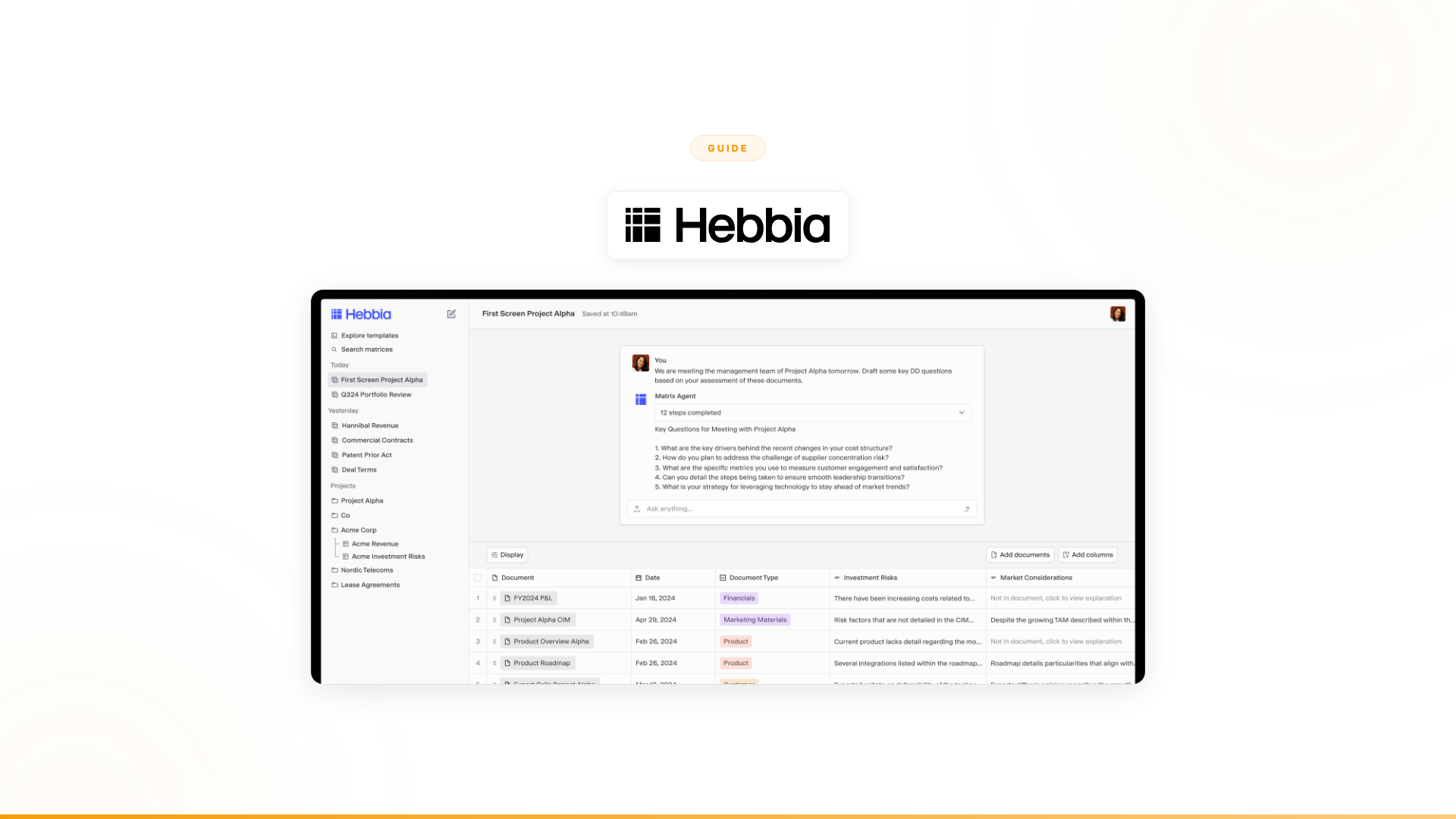
Examples of Level 1 tools: Hebbia (deep document analysis for finance and legal), AlphaSense (market intelligence research), Kira Systems (contract clause extraction), Glean (enterprise search and knowledge retrieval).
What it solves: The reading bottleneck. If your team spends 40 hours reading documents that AI could analyze in 4, Level 1 delivers a meaningful improvement on that specific step.
What it doesn't solve: Everything after the reading. The validation, cross-referencing, decision-making, exception handling, system updates, and follow-through that turn insights into outcomes. Level 1 makes the analysis step faster. The 9 steps after it stay untouched.
Level 2: AI document processing for variable formats — documents become data
Level 2 goes beyond summarization into structured data extraction. The AI pulls specific data points into structured formats that can feed downstream systems and processes, handling variable document formats rather than fixed templates.
What it looks like: Documents go in. Structured data comes out. Contracts become rows in a database with extracted clauses, dates, dollar amounts, and parties. Financial filings become structured datasets with specific metrics. The AI does the extraction. A human or a simple automation handles what happens next.
Examples of Level 2 tools: Eigen Technologies (structured extraction from financial documents), Luminance (contract lifecycle with extraction), ABBYY (intelligent document processing), AWS Textract (cloud-based document extraction), Hyperscience (enterprise document automation).
What it solves: The data entry bottleneck. For high-volume, repetitive extraction tasks — thousands of contracts, thousands of invoices — Level 2 saves significant time. According to industry benchmarks, manual invoice processing costs enterprises $12–$26 per invoice; automated extraction brings that cost below $2 per document (source: Docuexprt, 2026).
What it doesn't solve: The judgment and execution bottleneck. Structured data is useful, but someone still needs to decide what it means for the business, handle the cases where data doesn't match expectations, and take action across systems. Extraction is automation. Judgment and execution are not.
Document classification as a prerequisite: Before extraction can work reliably across a mixed document corpus, documents need to be classified — identified as invoice, contract, compliance filing, or other type. Classification is often the first practical step in any Level 2 deployment.
Level 3: Autonomous document agents — full workflow completion
Level 3 is where document analysis becomes one step in a larger process the AI handles end-to-end. The agent doesn't just read documents or extract data. It collects information from multiple sources (documents, databases, APIs, communication channels), analyzes and cross-references everything, makes decisions within defined guardrails, handles exceptions intelligently, escalates when uncertain, and executes actions across enterprise systems.
What it looks like: A business process that used to require a human to read documents, check three systems, make a judgment call, update a database, send a notification, and follow up is now handled by an autonomous agent. The agent does all of it. When it encounters something outside its confidence threshold, it escalates with full context. When it can handle it, it proceeds and logs every decision for audit.
What it solves: The entire process bottleneck. Not just "we read documents slowly" but "this end-to-end process takes 2 hours per instance and we have 12,000 instances."
What it requires: A fundamentally different architecture. Level 1 and Level 2 tools are built for humans to use. Level 3 requires agents that operate autonomously: collecting data from multiple systems, making decisions, handling exceptions, and executing actions. It also requires enterprise-grade guardrails, audit trails, escalation protocols, and integration with the systems where work actually happens.
Document ingestion pipeline: At Level 3, the question of how documents enter the system matters — email attachment, portal upload, API, scanner feed, or real-time channel. The agent architecture must handle all ingestion paths and route appropriately before analysis begins.
Why most enterprises stall at Level 1
The progression from Level 1 to Level 3 isn't gradual. You can't take a Level 1 tool and slowly upgrade it into Level 3. The architectures are fundamentally different.
Level 1 tools are designed to make humans smarter. They're analytical engines that produce outputs for humans to consume. The human is always in the loop because the tool's architecture assumes a human will be.
Level 3 requires AI that operates autonomously within defined boundaries. It makes decisions, handles edge cases, and executes across systems. The human is there for oversight, escalation, and governance — not for every step.
Here's why the stall happens:
The reading improvement feels like enough. When your analysts go from 40 hours of document review to 4, the improvement is dramatic. Leadership sees the productivity gain and assumes the AI investment is working. What they don't see: the 60 hours of work around the document review stayed the same. The total process went from 100 hours to 64 hours. That's a 36% improvement, not the 90% the business case projected.
The tools aren't built for execution. Document analysis tools are information-in, insights-out systems. They don't connect bidirectionally to CRMs, ERPs, communication channels, and operational systems. They don't make decisions. They don't route exceptions. They don't execute actions. Adding those capabilities to an analytical tool is architecturally wrong.
The organizational change is harder. Moving from "AI helps our analysts read faster" to "AI completes this process autonomously" requires different stakeholders, different governance, different success metrics, and different organizational trust. Most enterprises deploy Level 1 because it's comfortable. Level 3 requires a different conversation with a different buyer.
McKinsey's 2025 State of AI report found that while 72% of organizations now use generative AI — up from 33% the prior year — nearly two-thirds have not yet begun scaling AI across the enterprise (McKinsey, 2025). The stall at Level 1 is an industry-wide pattern, not an isolated failure.
Which documents benefit most from AI automation
Not all document types carry the same automation potential. High-volume documents with consistent structure and clear downstream actions yield the fastest ROI.
| Document type | Automation potential | Primary bottleneck removed |
|---|---|---|
| Invoices and purchase orders | Very high | Data entry, approval routing |
| Contracts (standard) | High | Clause extraction, date tracking, renewal alerts |
| Compliance filings | High | Validation, cross-referencing, exception flagging |
| Insurance claims | High | Field extraction, fraud pattern detection |
| Customer onboarding documents | High | Validation across backend systems, routing |
| Financial statements | High | Structured metric extraction, comparison |
| Legal discovery documents | Medium | Review prioritization, relevance classification |
| Medical records | Medium | Structured extraction with compliance requirements |
| Contracts (highly negotiated) | Medium | Requires hybrid human-AI review |
| Regulatory filings (novel) | Lower | High interpretive complexity, human judgment required |
The practical starting point: pick your highest-volume document type with the clearest downstream action. Define what "done" looks like for a single instance. Map every step between document arrival and that outcome.
How to automate document analysis with AI: a 4-step guide
Step 1: Map where time actually goes
Take your most important document-heavy process. Map every step — not just the document analysis part. For each step, record how much time it takes, how much human judgment is required, and which systems are involved.
Most enterprises discover that document analysis is 15–25% of the total process time. The rest is data collection from other systems, cross-referencing, validation, decision-making, routing, execution, and follow-up.
Example: enterprise account research
| Step | Time | Judgment required | Systems involved |
|---|---|---|---|
| Find relevant documents and data about account | 20 min | Low | Google, LinkedIn, news, CRM |
| Read and analyze documents | 30 min | Medium | Document analysis tool |
| Cross-reference with internal data | 15 min | Medium | CRM, ERP, internal databases |
| Synthesize findings into structured profile | 20 min | High | Spreadsheet, CRM |
| Score opportunity against ICP | 10 min | High | Internal scoring model |
| Route to appropriate sales rep | 5 min | Medium | CRM, Slack |
| Deliver briefing and follow up | 10 min | Low | Email, CRM |
| Total | 110 min | 7+ systems |
In this example, document analysis is ~27% of total time. A Level 1 tool that makes analysis 5x faster saves 24 minutes per account. But the total process still takes 86 minutes. At 12,000 accounts, that's still 17,200 person-hours per year.
Step 2: Identify the real bottleneck
With the time map in hand, ask three questions:
-
Where does the most total time accumulate? Not per-instance time, but total time across all instances. A step that takes 10 minutes per account but happens 12,000 times is 2,000 hours of work.
-
Where does human judgment add the most value? Some steps genuinely require human expertise. Others feel like they require judgment but are actually pattern-matching that AI can learn.
-
Where do exceptions cause the most delays? Many processes have a "happy path" that takes 30 minutes and an "exception path" that takes 3 hours. If 20% of instances hit the exception path, that's where process time really accumulates. This is the human-in-the-loop design question: at what confidence threshold should the agent escalate rather than proceed?
Step 3: Evaluate the architecture you need
Based on your time map:
If 70%+ of time is in document analysis and extraction, and the work after analysis is straightforward, a Level 1 or Level 2 tool might be sufficient. Deploy Hebbia, AlphaSense, or Kira Systems. Your analysts get faster. The downstream work is simple enough that the speed improvement on analysis is the main lever.
If 70%+ of time is in everything else — cross-referencing, validation, decision-making, routing, execution, follow-up — and the document analysis is just one step, you need Level 3. A tool that makes reading faster won't solve a process that's slow because of all the work around the reading.
If it's roughly split, consider whether the analysis step and the execution steps can be handled by the same tool or need different tools. They usually need different architectures, and trying to solve both with one analytical tool means compromising on execution.
Step 4: Run a proof of concept that measures the right things
This is where most enterprise AI deployments go wrong. They measure tool performance, not business outcomes.
Wrong metrics for evaluating document analysis automation:
- "How fast can the AI read documents?"
- "How accurate are the extracted data points?"
- "How many users adopted the tool?"
These are Level 1 metrics. They measure tool usage, not business impact.
Right metrics:
- "How much end-to-end process time was eliminated?"
- "How many instances were completed autonomously without human intervention?"
- "What was the measurable business impact — revenue, cost reduction, compliance improvement, or cycle time?"
When a European telecom operator deployed autonomous agents for customer onboarding, they didn't measure document reading speed. They measured conversion improvement (50%), revenue impact, autonomous resolution rate (90%), and time to deploy (4 weeks). Those are business outcomes, not tool metrics.
Document processing time: manual vs. AI comparison
The cost and time differential between manual and automated document processing is substantial across industries.
| Process | Manual cost/time | Level 2 automated | Level 3 autonomous |
|---|---|---|---|
| Invoice processing | $12–$26/invoice, 3+ weeks | $2–$4/invoice, hours | Minutes, full routing |
| Contract clause extraction | 2–4 hrs/contract | 10–30 min/contract | Minutes, with flagging |
| Compliance filing review | 4–8 hrs/filing | 1–2 hrs with extraction | Automated with escalation |
| Customer onboarding documents | 30–60 min/customer | 10–15 min | Minutes, full validation |
Source for manual invoice benchmarks: Docuexprt, 2026; Quadient AP benchmarks. Level 2/3 estimates based on IDP vendor benchmarks.
The global intelligent document processing market reflects this shift in enterprise priorities. Valued at $10.57 billion in 2025 and growing at a 26% CAGR through 2034, IDP has become one of the fastest-growing segments of enterprise AI (Precedence Research, 2025). According to the Everest Group, the market is moving decisively from data capture toward action and intelligence — exactly the shift from Level 2 to Level 3.
What Level 3 actually looks like in production
Enterprise account research: from reading to completing
Before: Research analysts manually collected information about enterprise accounts from multiple sources. They read documents, cross-referenced data, synthesized findings, and produced account briefs. Each account required roughly 2 hours. Across 12,000+ accounts, the math didn't work: not enough analysts, not enough hours.
The Level 1 trap: A document analysis tool could have made the reading faster — perhaps 1.5 hours per account instead of 2. That's a 25% improvement, but the total workload remained impossibly large for a human team.
Level 3 reality: Autonomous agents now handle the entire research workflow for each of the 12,000+ accounts. The agent collects data from dozens of sources, synthesizes findings, identifies buying signals and competitive movements, scores opportunities, and delivers structured intelligence. No human reads documents. The agent completes the full process.
Results (Nexus client data): $4B+ in cumulative pipeline identified. 24,000+ research hours added annually — equivalent to 12 full-time analysts. Built by a sales intelligence leader with no engineering background.
Customer onboarding: from processing documents to completing onboarding
Before: Customer onboarding involved collecting customer information, validating it against multiple backend systems, checking compatibility, routing complex cases to specialized teams, and following up. Documents and data flowed across channels and systems. Each onboarding instance required manual work at every step.
The Level 1 trap: An AI tool could have helped agents understand customer documents faster. That helps with one step. The validation, routing, exception handling, and follow-through across systems would still be manual.
Level 3 reality: Autonomous agents handle customer onboarding end-to-end, collecting customer information in real-time across multiple channels, validating against backend systems, routing unusual cases, and escalating complex issues with full context — across multiple countries and languages, with complete audit trails.
Results (Nexus client data): Deployed in 4 weeks. 50% conversion improvement. 90% autonomous resolution. 100% team adoption. The previous chatbot had a 27% drop-out rate.
Enterprise support operations: from analyzing to resolving
Before: Support operations processed millions of interactions. Each one involved understanding the customer's issue, checking documentation, validating against system data, making a resolution decision, and executing the fix or escalating. Document analysis was one step among many.
Level 3 reality: Agents handle the full resolution process: understanding the issue, checking relevant documentation and system data, making decisions within guardrails, executing resolutions, and escalating complex cases with context.
Results (Nexus client data): 40% of support volume freed across millions of interactions.
The technology shift behind Level 3
Moving from Level 1 to Level 3 isn't a feature upgrade. It's a different architecture.
From information retrieval to workflow orchestration
Level 1 tools connect to document repositories. They pull information in and produce insights out. The integration model is read-only.
Level 3 requires bidirectional integration with the systems where work happens. Agents don't just read from your CRM — they write to it. They don't just analyze a document — they update a compliance system, send a notification via Slack, trigger a process in your ERP, and log the outcome for audit. Nexus integrates with 4,000+ enterprise systems bidirectionally.
From human-in-the-loop to autonomous-with-escalation
Level 1 assumes a human makes every decision. The AI suggests. The human decides and acts.
Level 3 inverts this. The AI decides and acts within defined guardrails. When it encounters something outside its confidence threshold, it escalates to a human with full context. The human handles exceptions. The AI handles the volume.
This requires enterprise-grade trust: decision traceability, full audit trails, role-based access, and clear escalation protocols. Nexus provides SOC 2 Type II, ISO 27001, ISO 42001, and GDPR compliance. Every decision an agent makes is logged and traceable.
From per-seat to per-agent economics
Level 1 pricing ties cost to the number of humans using the tool. More analysts, more seats, more cost.
Level 3 pricing ties cost to the work being done. An agent that processes 12,000 accounts or onboards thousands of customers costs the same regardless of how many employees are in your organization. The economics shift from "making humans faster" to "completing work autonomously."
From software deployment to operational partnership
Level 1 tools are software. You deploy them, train your team, and manage adoption.
Level 3 requires organizational change. Someone needs to identify the right workflows, design the agent logic, handle integration complexity, manage the transition from manual to autonomous, and continuously optimize performance. This is why Nexus includes Forward Deployed Engineers who embed with your team from day one. Deploying autonomous agents is an operational transformation, not a software installation.
How to get started
1. Map your process honestly
Don't just map the document analysis step. Map the full end-to-end process — every step, every system, every decision point, every exception path. Most enterprises realize the document analysis step is 20% of the actual work.
2. Calculate the real cost of the process
Not the cost of reading documents. The cost of the entire process, including human time spent on validation, decision-making, routing, execution, and follow-up. Include the cost of errors, delays, and exceptions. Industry benchmarks consistently show that manual document processing errors (1–3% error rate) generate remediation costs of $25–$150 per error (Docuexprt, 2026). This number is almost always larger than expected.
3. Ask: what would "done" look like?
If AI could handle this process completely, what would the outcome be? Not "analysts read faster." But "12,000 accounts researched autonomously" or "customer onboarding completed in minutes instead of days" or "40% of support volume resolved without human intervention." If "done" includes execution — not just analysis — you're describing Level 3.
4. Run a proof of concept with the right scope
Don't pilot a Level 1 tool and hope it evolves into Level 3. If the process requires autonomous execution, pilot a tool that does autonomous execution. Every Nexus engagement starts with a 3-month POC tied to specific, measurable business outcomes. Forward Deployed Engineers embed with your team. You see the results before committing to anything.
Worth exploring?
If your document analysis automation hasn't delivered the business outcomes you expected, and you suspect the bottleneck has shifted from reading to executing, it might be worth a conversation.
A research team built agents that autonomously cover 12,000+ accounts. $4B+ in pipeline identified. 24,000+ hours of research capacity added annually.
A telecom operator deployed onboarding agents in 4 weeks. 50% conversion improvement. 90% autonomous resolution.
A European telecom freed 40% of support volume across millions of interactions with a dozen agents.
None of them needed faster document analysis. All of them needed AI that completes work.
See how Nexus compares to Hebbia →
Frequently asked questions
What is the difference between OCR and AI document analysis?
OCR (optical character recognition) converts images of text into machine-readable characters. AI document analysis goes further: it understands document structure, extracts specific data fields from variable formats, validates information against business rules, and can route or act on what it finds. OCR is a prerequisite; AI document analysis is what you build on top of it. OCR is Level 0. Intelligent agents are Level 3.
Which document types are best candidates for AI automation?
High-volume documents with consistent structure and clear downstream actions yield the fastest ROI: invoices, contracts, compliance filings, purchase orders, insurance claims, and customer onboarding forms. Documents with highly variable formats or requiring complex legal interpretation typically need a hybrid human-AI approach where the agent handles extraction and routing while humans handle interpretive decisions.
How does AI document analysis maintain compliance and audit trails?
Enterprise-grade document AI logs every extraction decision, flags exceptions, and maintains complete audit trails. Systems certified to SOC 2 Type II and ISO 27001 can satisfy regulatory requirements for document handling in finance, healthcare, and legal industries. Under GDPR Article 22, automated decision-making from personal data also requires documented logic and human review pathways for consequential decisions — well-designed Level 3 agents build this in by default through escalation protocols.
How long does it take to deploy AI document analysis?
Template-based extraction (Level 1) can deploy in days. Intelligent processing (Level 2) typically takes weeks to configure and train on your document types. Fully autonomous document agents (Level 3) integrated with enterprise systems typically deploy in 4–8 weeks with embedded engineering support. The Nexus model embeds Forward Deployed Engineers from day one, with a 3-month POC before any long-term commitment.
Can AI document analysis handle documents in multiple languages?
Yes. Enterprise agent platforms support 95+ languages for document processing, enabling global operations to automate document workflows across markets without separate language-specific tools. This is especially relevant for multinational compliance processes, cross-border contracts, and customer onboarding in multiple geographies.
Related reading
- Nexus vs Hebbia: document analysis AI vs autonomous agents
- Top 10 AI tools for document analysis and research
- Top 10 Hebbia alternatives for enterprise AI research
- Hebbia vs Glean: enterprise AI research compared
- Top 10 Glean alternatives for enterprise AI
- Nexus vs Glean: full comparison
- Nexus vs Langdock: AI assistants compared