Top 10 Workato Alternatives for Enterprise Integration and Automation in 2026
Workato connects enterprise apps through recipes. But integration alone doesn't complete work. Here are 10 alternatives ranked by what they actually deliver when your automation needs outgrow rule-based recipes.
Most enterprises searching for Workato alternatives aren't searching because Workato failed. They've hit a structural ceiling: Workato's recipe model handles predictable, well-defined integrations reliably, but it stops where real business complexity begins—ambiguous data, shifting compliance rules, exceptions that require judgment, and workflows that need conversation to complete.
The pattern shows up consistently. IT or RevOps builds a set of recipes. The recipes connect Salesforce to HubSpot, sync data between Workday and NetSuite, trigger Slack notifications when a deal closes. On the structured path, everything works. Then someone asks: can we automate the customer onboarding process end-to-end? Can we handle the compliance checks that change every quarter? Can we build something that interprets what a customer actually means when their request doesn't match any template?
The answer is always the same. Not with recipes.
Workato is a strong iPaaS platform. In the 2025 Gartner Magic Quadrant for Integration Platform as a Service, Workato was named a Leader and ranked Furthest in Vision for the second consecutive year — recognition that reflects genuine product quality and market traction. Its recipe framework handles well-defined, predictable workflows reliably. Connecting systems is a solved problem for Workato.
The hard part is the intelligent work that crosses those systems: interpreting ambiguous data, making judgment calls, handling exceptions, holding conversations when information is missing, and completing entire workflows without routing every edge case back to a human.
If you're evaluating alternatives, the real question isn't which platform has more connectors. It's whether you need a better integration tool or something architecturally different.
Here are 10 alternatives, ranked by what they deliver for enterprises with complex automation needs.
What is Workato?
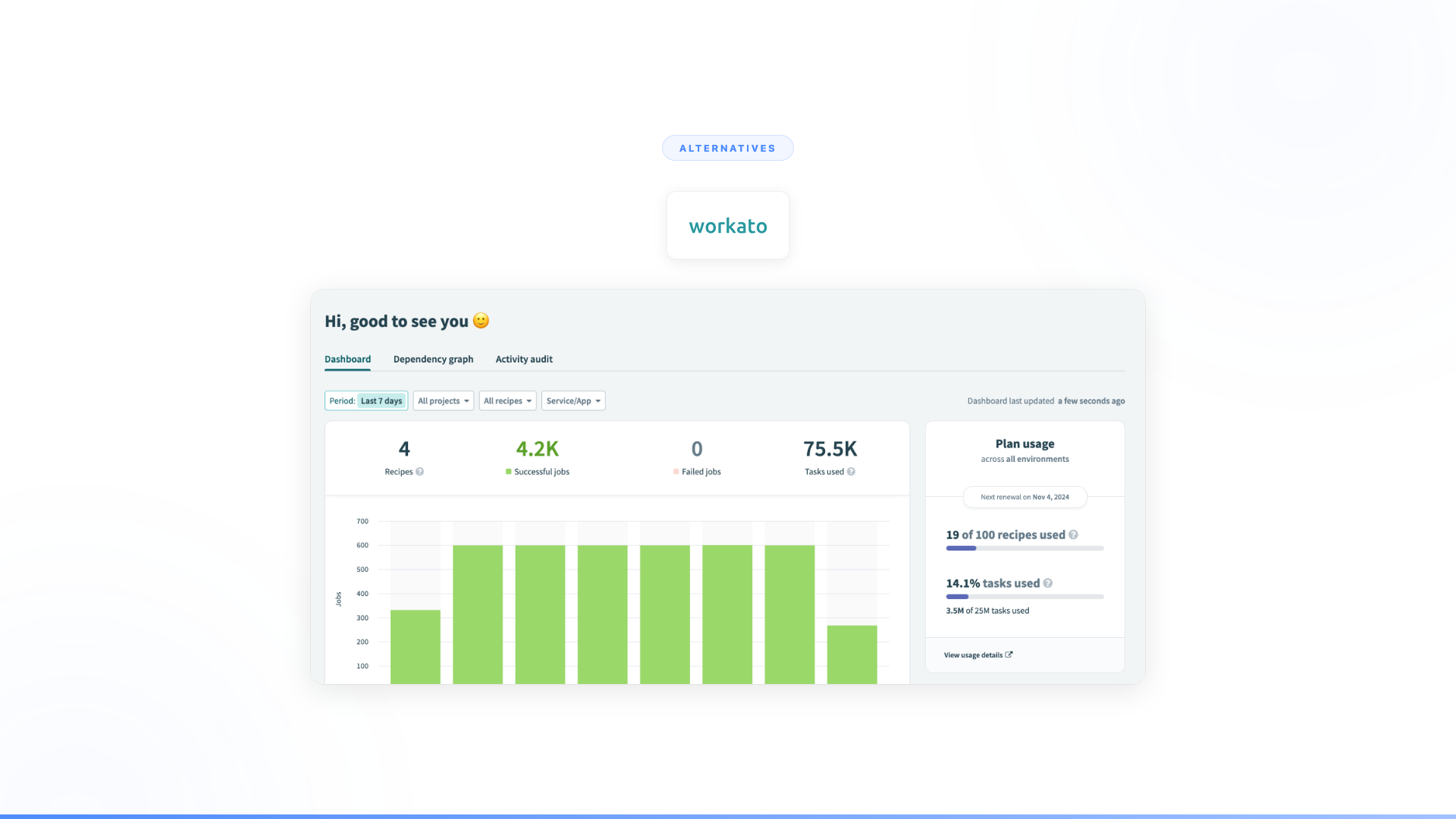
Workato is an enterprise integration platform (iPaaS) that connects business applications using a "recipe" workflow model. It serves IT, operations, and RevOps teams automating integrations between Salesforce, HubSpot, Workday, NetSuite, Slack, and hundreds of other enterprise applications. Workato's recipe model allows non-developers to build workflow automations through a visual trigger-action interface, with enterprise-grade governance, error handling, and a connector library covering 1,200+ applications.
Workato has been a consistent Gartner iPaaS Magic Quadrant Leader, including the 2025 edition where it earned the Furthest in Vision designation — reflecting its push toward AI-assisted recipe building and agentic automation features.
How much does Workato cost? Workato does not publish pricing. Based on publicly available estimates and third-party review platforms, enterprise contracts typically run $50,000–$200,000+ annually depending on the number of connections and workflow volume. Mid-market deployments are reported in the $15,000–$50,000 range. This is an estimate; contact Workato directly for current pricing.
Quick comparison
| Tool | Category | Best for | Completes work autonomously? | Pricing model |
|---|---|---|---|---|
| Nexus | Autonomous agent platform | Full enterprise workflow automation across any department | Yes, end-to-end | Per-agent |
| Zapier | Workflow automation | Simple, fast, high-volume task automation | No, rule-based only | Per-task |
| UiPath | RPA + AI | Screen-level process automation | No, robot stops at exceptions | Per-robot |
| n8n | Open-source workflow automation | Technical teams wanting self-hosted automation | No, same architecture as Zapier | Self-hosted or cloud |
| MuleSoft | Enterprise integration platform | API-led architecture and complex system integration | No, developer-managed | Per-connection |
| Boomi | Integration + MDM platform | Mid-market integration with master data management | No, rule-based | Per-connection |
| Tray.io | Enterprise automation platform | RevOps and GTM workflow automation | No, rule-based | Per-connector |
| Celigo | Integration platform | ERP and back-office integrations | No, error routing only | Per-flow |
| SnapLogic | Enterprise integration | Data pipeline and application integration | No, pipeline errors route out | Per-pipeline |
| Custom build | Internal engineering | Organizations with dedicated AI engineering teams | Depends on what you build | Engineering cost |
Workato pricing vs alternatives
| Platform | Pricing model | Estimated annual cost |
|---|---|---|
| Workato | Per-connection + workflow volume | $50K–$200K+ (enterprise estimate) |
| MuleSoft | Per-API call + tier | $50K–$250K+ |
| Boomi | Per-connection + modules | $50K–$200K+ |
| SnapLogic | Per-pipeline | $50K–$150K+ |
| Tray.io | Per-connector | $30K–$100K+ |
| Celigo | Per-flow | $20K–$80K+ |
| UiPath | Per-robot | $10K–$50K+ per robot |
| n8n | Free (self-hosted) / cloud | Free–$24/month cloud |
| Zapier | Per-task | From $29.99/month |
All enterprise figures are estimates based on publicly reported data and review platforms. Vendors do not publish standard pricing.
When Workato is the right choice
Before evaluating alternatives: Workato is genuinely strong for enterprises with well-defined, high-volume integrations between enterprise applications. If your automation needs center on reliable data sync between Salesforce and NetSuite, structured lead routing, or governance-heavy IT integrations with predictable paths, Workato delivers what it promises.
The case for alternatives is strongest when:
- Workflows involve exceptions, judgment calls, or ambiguous inputs that don't match a predefined template
- Business teams (not just IT) need to own and modify automations without engineering involvement
- You need agents to complete entire workflows end-to-end, not just connect systems
- Compliance rules change frequently enough that static recipes require constant rebuilding
The alternatives, ranked
1. Nexus
What it is: An autonomous agent platform paired with Forward Deployed Engineers who embed with your team. Nexus agents don't just connect systems. They complete entire business workflows end-to-end: collecting data across systems, validating it, making decisions within guardrails, handling exceptions, holding conversations when clarification is needed, and executing actions. Any department. Any workflow. Business teams build and own the agents.
Why enterprises switch from Workato to Nexus:
The category difference matters. Workato connects systems and executes predefined recipes between them. Nexus agents do the intelligent work that crosses those systems. A recipe can sync a lead from your website to your CRM. An agent can qualify that lead by researching the company, checking it against your ICP, asking follow-up questions when information is missing, routing it to the right team based on segment and territory, and booking the meeting. One is integration. The other is workflow completion.
What it looks like in production:
- Orange Group (multi-billion euro telecom, 120,000+ employees): Business team built autonomous customer onboarding agents. Deployed across multiple European markets in 4 weeks. 50% conversion improvement. 90% autonomous resolution. 100% team adoption. Their previous solution had a 27% drop-out rate. (Nexus client data)
- European telecom (13,000+ employees): Spent 6 months with Copilot Studio, couldn't deliver a single production use case. Deployed a dozen Nexus agents in the same timeframe. 40% support volume freed across millions of interactions. (Nexus client data)
What separates Nexus from every other alternative on this list:
Every other tool on this list connects systems. Every other tool executes predefined rules. Every other tool breaks when the real world deviates from the expected path. Nexus agents reason about exceptions, interpret ambiguous inputs, hold conversations, and make autonomous decisions within guardrails. They come with Forward Deployed Engineers who embed with your team and handle integration, deployment, change management, and ongoing optimization.
Pricing: Per-agent, tied to value delivered. Not per-seat or per-task. An agent serving millions of customers costs the same whether you have 500 or 50,000 employees.
Best for: Enterprises that need AI to complete high-volume business processes across systems, not just connect those systems. Sales, support, compliance, HR, onboarding, operations, reporting, innovation.
Full Nexus vs Workato comparison -->
2. Zapier
What it is: Workflow automation platform connecting 8,000+ apps with trigger-action logic. No code required. Fast to set up. Great for simple, predictable workflows like form-to-CRM routing, notification triggers, and data syncing between SaaS tools.
How it compares to Workato: Zapier is simpler, faster to set up, and cheaper for low-volume use. Workato is more powerful, better governed, and built for enterprise IT. But they share the same architectural limitation: both execute predefined rules and break on exceptions. If you're leaving Workato because recipes can't handle the complex work, Zapier won't solve that problem. It'll just give you simpler recipes.
Where it falls short: No judgment, no conversation, no exception handling. When an edge case appears, the Zap stops and a human takes over. Enterprise workflows are full of edge cases.
Pricing: Starts at $29.99/month. Enterprise plans run significantly higher at volume.
Best for: Simple, high-volume, trigger-action automations between SaaS tools. Teams that don't need enterprise governance.
Full Nexus vs Zapier comparison -->
3. UiPath
What it is: Robotic process automation platform with AI additions. Software robots interact with application UIs the way humans do: clicking buttons, filling forms, copying data between screens. Now includes "agentic automation" features and document understanding.
How it compares to Workato: Different approach to automation. Workato connects applications at the API level with recipes. UiPath automates at the screen level with robots. For processes that don't have APIs (legacy systems, desktop applications, mainframes), UiPath reaches where Workato can't. But both share the same structural ceiling: predictable processes only.
Where it falls short: RPA automates the predictable parts. When a robot encounters data that doesn't match expectations, an exception it wasn't programmed for, or a situation requiring judgment, it stops and a human takes over. And RPA implementations are notoriously brittle: when a UI changes, the robot breaks.
Pricing: Per-robot licensing. Enterprise pricing typically $10,000–$50,000+ per robot annually.
Best for: High-volume, screen-based, repetitive processes with minimal exceptions. Legacy system automation where APIs don't exist.
Full Nexus vs UiPath comparison -->
4. n8n
What it is: Open-source workflow automation platform. Self-hosted or cloud. Functionally similar to Zapier but with full code access, more complex logic support, and no vendor lock-in. Popular with technical teams who want control over their automation infrastructure.
How it compares to Workato: n8n is open-source where Workato is proprietary. n8n is developer-friendly where Workato targets IT ops. n8n is cheaper (or free if self-hosted). But the architecture is the same: node-based workflows that follow predefined paths. The same ceiling applies. If you're leaving Workato because rule-based automation can't handle your complex workflows, n8n won't solve that. It'll give you the same rules with more technical control.
Where it falls short: Same limitation as every rule-based tool. Exceptions, ambiguity, and judgment calls aren't structural capabilities of node-based workflows. You also take on the operational burden of self-hosting, monitoring, and maintaining the infrastructure.
Pricing: Free (self-hosted). Cloud starts at $24/month. Enterprise pricing available.
Best for: Technical teams that want full control over automation infrastructure, don't mind self-hosting, and primarily need rule-based workflow automation.
Full Nexus vs n8n comparison -->
5. MuleSoft
What it is: Enterprise integration platform owned by Salesforce. API-led connectivity architecture. Designed for large-scale system integration with Anypoint Platform, API management, and DataWeave transformation language.
Gartner 2025 positioning: In the 2025 Gartner Magic Quadrant for iPaaS, MuleSoft's position shifted from Leader to Challenger — a meaningful change for enterprises evaluating long-term platform bets. MuleSoft retains its Leader status in Gartner's API Management Magic Quadrant, where it has held a top position for nine consecutive years. The distinction matters: MuleSoft is strong for API lifecycle management and complex enterprise architectures, but its iPaaS positioning relative to Workato has shifted. (Gartner iPaaS Magic Quadrant 2025)
How it compares to Workato: MuleSoft is more powerful for complex, API-heavy enterprise architectures. Workato is faster to deploy and more accessible to non-developers. MuleSoft requires Java/DataWeave skills and significant implementation investment. Both connect systems reliably. Neither completes the intelligent work that crosses those systems.
Where it falls short: MuleSoft is an integration platform, not a workflow completion engine. It connects APIs, transforms data, and manages traffic. It doesn't make decisions, hold conversations, or handle exceptions that require judgment. It also requires significant developer resources, both for initial implementation and ongoing maintenance.
Pricing: Complex. Typically $50,000–$250,000+ annually depending on API call volume and tier. Now part of Salesforce licensing bundles.
Best for: Large enterprises with complex API architectures, dedicated integration teams, and deep Salesforce investment.
Full comparison: Workato vs MuleSoft -->
6. Boomi
What it is: Integration platform with master data management, API management, and workflow automation. Formerly Dell Boomi, now independent. Positions itself as a comprehensive "integration and automation" platform with AI-powered suggestions.
Gartner 2025 positioning: Boomi is recognized as a Leader in the 2025 Gartner Magic Quadrant for iPaaS, making it one of the most established platforms in the enterprise integration space. (Gartner iPaaS Magic Quadrant 2025)
How it compares to Workato: Boomi and Workato compete directly in the iPaaS market. Boomi's master data management capabilities are a differentiator for organizations that need data quality and governance alongside integration. Workato's recipe model is generally faster for building automations. Both are rule-based. Both connect systems. Neither handles the judgment-heavy work.
Where it falls short: Same architectural ceiling as Workato. Strong at connecting systems and moving data. Can't handle conversations, exceptions that require reasoning, or work that doesn't follow predefined paths. The AI capabilities add recommendations and suggestions, but the underlying framework remains rule-driven.
Pricing: Subscription-based. Enterprise pricing typically $50,000–$200,000+ annually depending on connection volume and modules.
Best for: Mid-to-large enterprises that need integration, MDM, and API management in a single platform. Organizations that value data governance alongside connectivity.
7. Tray.io
What it is: Enterprise automation platform targeting RevOps, marketing operations, and GTM teams. Visual workflow builder with a "Universal Automation Cloud" positioning. Supports complex branching, data transformation, and connectors to major enterprise SaaS tools.
How it compares to Workato: Tray.io positions similarly to Workato but targets a narrower audience: revenue operations and go-to-market teams. Its visual builder is polished, and the connector library covers the major GTM stack (Salesforce, HubSpot, Marketo, Outreach, etc.) well. Workato has broader enterprise reach and a larger connector ecosystem. Both are recipe/flow-based and share the same structural limitations.
Where Tray.io wins over Workato: For RevOps teams who live in the GTM stack and want a purpose-built automation layer, Tray.io's focused connector set and RevOps-oriented UX often feel more natural than Workato's broader-but-deeper enterprise model. The trade-off is reach — Tray.io is not built for back-office or cross-department automation beyond the revenue stack.
Where it falls short: Rule-based automation with a marketing/sales focus. Great for lead routing, data enrichment triggers, and campaign operations that follow templates. Not built for workflows that require judgment, conversation, or exception handling. When the lead doesn't match any routing rule, or the data enrichment returns conflicting information, the flow stops and a human picks up.
Pricing: Per-connector. Enterprise pricing typically $30,000–$100,000+ annually.
Best for: RevOps and marketing operations teams automating GTM workflows across Salesforce, HubSpot, and the broader sales/marketing stack.
8. Celigo
What it is: Integration platform focused on ERP and back-office system connectivity. Strong in NetSuite, Shopify, Salesforce, and e-commerce integrations. Offers pre-built "Integration Apps" for common business scenarios like order-to-cash and procure-to-pay.
How it compares to Workato: Celigo is more specialized. Where Workato aims to be the universal enterprise iPaaS, Celigo focuses on back-office and ERP integrations, particularly NetSuite. Its pre-built Integration Apps reduce implementation time for common scenarios. For NetSuite-centric organizations, Celigo is often a more natural fit. For broad enterprise integration, Workato has the edge.
Where it falls short: Connects back-office systems reliably but doesn't complete the work that happens between those systems. Error handling is sophisticated for its category (automated error resolution for common patterns), but novel exceptions still route to humans. The specialization that makes it strong for ERP integration limits its applicability to broader enterprise automation.
Pricing: Per-flow. Pricing depends on the number and complexity of integration flows. Typically $20,000–$80,000+ annually.
Best for: NetSuite-centric organizations, e-commerce businesses, and mid-market companies that need ERP and back-office integration without building custom code.
9. SnapLogic
What it is: Enterprise integration platform with data and application integration capabilities. Visual "Snap" pipeline builder. Supports both application integration and data engineering pipelines, which is a differentiator from pure iPaaS tools. Includes GenAI Builder for AI-related integrations.
How it compares to Workato: SnapLogic spans both application integration and data pipelines, where Workato focuses primarily on application workflow automation. For organizations that need to move and transform large datasets alongside application integrations, SnapLogic covers both. Workato is generally easier for business-process-oriented automation. Both are rule-based, both connect systems, neither handles judgment.
Where it falls short: Pipeline architecture is powerful for data movement and transformation but doesn't make decisions, hold conversations, or adapt to novel situations. The GenAI Builder adds AI capabilities to pipelines but doesn't change the fundamental paradigm: defined inputs, defined transformations, defined outputs.
Pricing: Per-pipeline. Enterprise pricing typically $50,000–$150,000+ annually depending on pipeline volume.
Best for: Organizations that need both application integration and data engineering in one platform. Data-intensive enterprises with complex ETL/ELT requirements.
10. Custom build
What it is: Build your own integration and automation using frameworks like LangChain, LangGraph, CrewAI, or direct API integrations. Your engineering team designs the architecture, writes the code, deploys, monitors, and maintains everything.
How it compares to Workato: Maximum flexibility. No connector limitations, no recipe constraints, no vendor lock-in. For organizations with strong AI engineering teams and unique requirements, custom builds can deliver exactly what you need. The question is whether it's the best use of those engineers.
Where it falls short: Most enterprises don't have surplus AI engineering capacity. Custom builds require solving governance, security, compliance, monitoring, and maintenance on your own. The opportunity cost is real: engineering teams that divert focus from core product development to internal tooling routinely find the total cost of ownership exceeds commercial alternatives by the 18-month mark, once maintenance, monitoring, and rebuilds are factored in.
Pricing: Engineering salaries + infrastructure. Typically 3–6 months for a first production integration, with ongoing maintenance costs that compound as the system grows.
Best for: Organizations with dedicated AI engineering teams, unique technical requirements, and timelines that can absorb 6+ months of development.
The real question behind Workato alternatives
Most comparison pages frame this as a feature-by-feature decision. More connectors, better error handling, cheaper pricing. But the enterprises we work with aren't searching for a better iPaaS. They're searching because they've realized that connecting systems doesn't complete work.
Here's the distinction that matters:
If the problem is connecting applications and syncing data, and Workato's pricing, governance model, or connector coverage doesn't fit, alternatives 2–9 on this list are legitimate options. They're all strong integration or automation platforms. Pick the one that matches your architecture, team skills, and budget.
If the problem is that rule-based automation only handles the predictable 10–20% of your workflows, that's not a feature gap. It's a category gap. Every tool on this list from #2 through #10 shares the same structural limitation: they execute predefined rules on the structured path. When exceptions happen, when judgment is needed, when a conversation is required, they stop and a human takes over.
Nexus agents don't stop. They reason about the exception, interpret what's happening, decide what to do within guardrails, and complete the work. They come with Forward Deployed Engineers who handle integration, deployment, and ongoing optimization.
Orange didn't need a better integration platform. They needed agents that complete customer onboarding autonomously. 50% conversion improvement. 4-week deployment. 100% team adoption. (Nexus client data)
A major European telecom didn't need another integration tool. They deployed a dozen Nexus agents. 40% of support volume freed across millions of interactions. (Nexus client data)
The gap between integration and intelligent workflow completion isn't a feature gap. It's a category gap. No amount of adding recipes, connectors, or AI features to an iPaaS closes it.
Frequently asked questions
What is Workato?
Workato is an enterprise integration platform (iPaaS) that connects business applications using a "recipe" workflow model. It serves IT, operations, and RevOps teams automating integrations between Salesforce, HubSpot, Workday, NetSuite, Slack, and hundreds of other enterprise applications. In the 2025 Gartner Magic Quadrant for iPaaS, Workato was named a Leader and recognized as Furthest in Vision for the second consecutive year.
How much does Workato cost?
Workato does not publish standard pricing. Based on publicly reported estimates and third-party review platforms, enterprise contracts typically run $50,000–$200,000+ annually depending on the number of connections and workflow volume. Mid-market deployments have been reported in the $15,000–$50,000 range. Contact Workato directly for a current quote.
What is the difference between Workato and Zapier?
Workato is built for enterprise IT teams with more complex governance, error handling, and integration logic than Zapier. Zapier is simpler and faster for non-technical teams and lower-volume automations. Both use a rule-based, trigger-action architecture — meaning both break on exceptions that fall outside predefined rules. The key difference is scale and governance, not capability ceiling.
Workato vs MuleSoft: which is better?
It depends on your architecture and team. MuleSoft (Salesforce) is stronger for API-led enterprise architectures requiring Java/DataWeave development skills and deep API lifecycle management. Workato is faster to deploy and more accessible to non-developers. A key shift: in the 2025 Gartner iPaaS Magic Quadrant, MuleSoft moved from Leader to Challenger while Workato retained its Leader status and earned the Furthest in Vision designation. For organizations without deep API integration teams, Workato is often preferable; for large enterprises with complex API ecosystems and Salesforce dependency, MuleSoft remains relevant for API management specifically.
What are Workato's limitations?
Workato's recipe model handles well-defined, predictable workflows reliably. It does not handle the intelligent work that crosses systems: interpreting ambiguous requests, making judgment calls, holding conversations, or completing entire workflows when exceptions occur. Workato has introduced AI-assisted recipe building (WorkatoGPT) and agentic features, but the underlying recipe architecture still requires structured, predictable paths for execution. These requirements demand a fundamentally different architecture — one built for reasoning, not routing.
Worth exploring?
Every Nexus engagement starts with a 3-month proof of concept tied to measurable outcomes. Forward Deployed Engineers embed with your team from day one. You see the results before committing. You can exit anytime.
See the full Nexus vs Workato comparison -->
Related reading
- Nexus vs Workato: full comparison
- Nexus vs Zapier: rule-based automation vs intelligent agents
- Zapier vs Workato: which automation platform?
- Workato vs MuleSoft: enterprise integration compared
- Top 10 AI tools for enterprise integration and automation
- How to automate cross-system workflows with AI
- Top 10 Zapier alternatives for enterprise automation
Sources: Gartner Magic Quadrant for Integration Platform as a Service 2025 · Workato 2025 Gartner MQ announcement · Workato pricing estimates via G2 · MuleSoft Gartner iPaaS position analysis · Nexus client data: Orange Group and European telecom deployments are Nexus internal case study data.