How to Build an Enterprise Knowledge System with AI (2026 Guide)
Knowledge silos cost enterprises millions in duplicated work and missed opportunities. This guide covers three approaches to solving it, from search tools to AI assistants to autonomous agents, and why the agent architecture wins.
To build an enterprise AI knowledge system, choose from three architectures: AI-powered search (surface existing knowledge faster), AI knowledge assistants (chat interface over company data), or AI knowledge agents (complete workflows using what they find). For knowledge that must drive business outcomes—not just answers—agents outperform search and assistants. Start with the team that loses the most time to knowledge gaps.
This guide walks through how each architecture works, where each one stops, and how to implement the one that fits your situation.
What knowledge silos cost enterprises (and why AI solves it differently)
Knowledge silos aren't just an annoyance. They're a structural cost center.
The visible costs:
- Employees spend 20–30% of their workweek searching for information and recreating documents that already exist elsewhere (McKinsey, The Social Economy, 2012—still the most-cited benchmark in enterprise productivity research)
- New hires take 6–12 months to reach full productivity because institutional knowledge is scattered across systems, people, and informal communication channels (SHRM, Onboarding New Employees: Maximizing Success, 2020)
- Duplicate work happens constantly because teams don't know what other teams have already done
- Customer-facing teams give inconsistent answers because there is no single source of truth
The invisible costs (these are bigger):
- Opportunities missed because the person who saw a buying signal wasn't connected to the person managing the account
- Compliance violations because a policy update didn't reach the team that needed it
- Slow decision-making because gathering information from five systems takes days, not minutes
- Employee frustration that drives turnover, especially among high performers who value efficiency
Industry analysts estimate knowledge silos cost mid-to-large enterprises 5–15% of annual revenue in wasted time, missed opportunities, and duplicated effort. For a $1B company, that's $50–150M annually. The knowledge management software market reflects this urgency: it was valued at $13.7 billion in 2025 and is forecast to reach $37.6 billion by 2031 at an 18.3% CAGR, driven partly by enterprises embedding generative AI tools into knowledge workflows (Mordor Intelligence, 2025).
The question isn't whether to invest in solving this. It's which approach to take.
3 approaches to enterprise knowledge management with AI
Approach 1: AI search tools (Glean, Coveo, Elastic) — what they do and where they stop
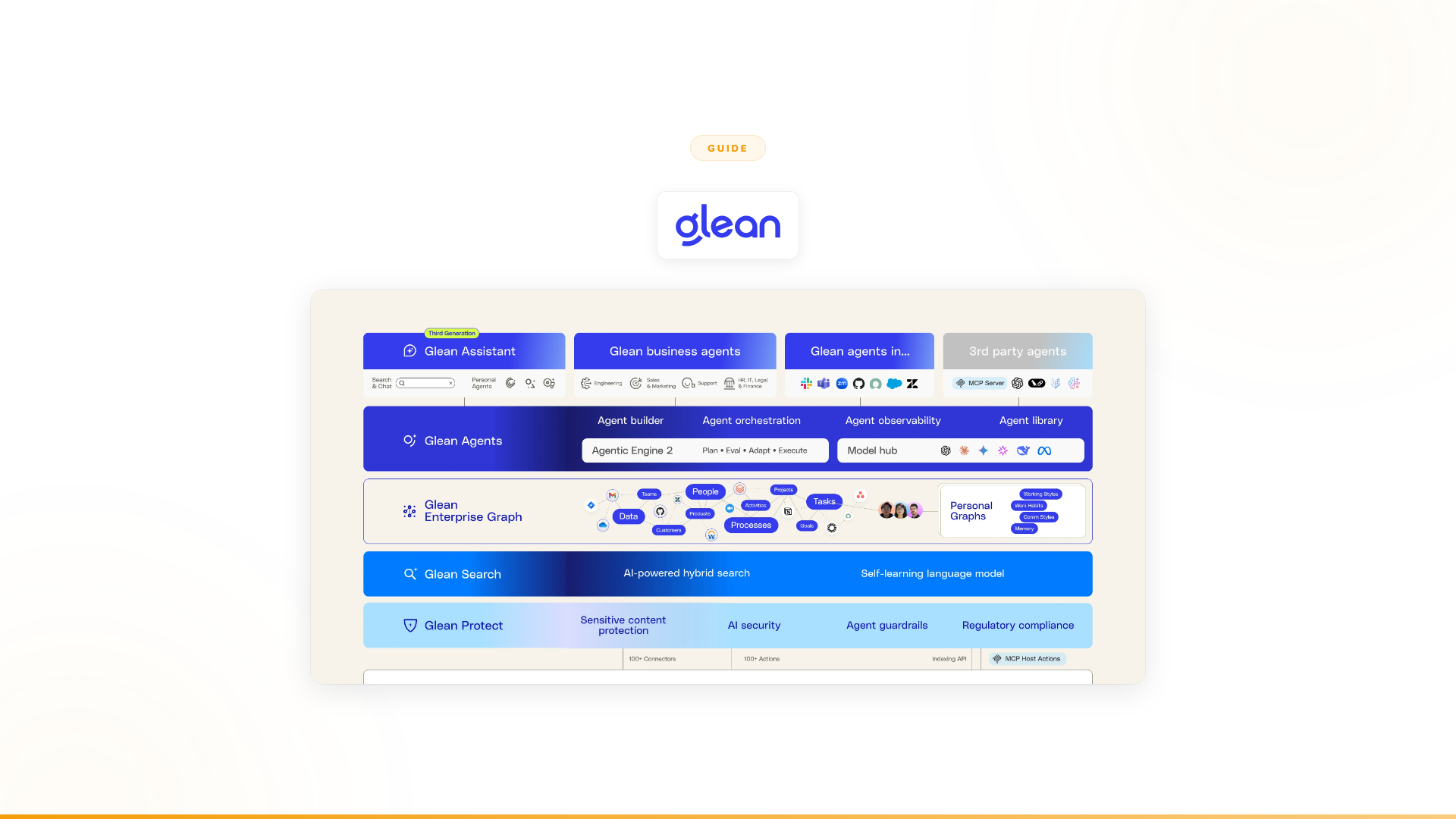
What it is: Tools like Glean, Coveo, Elastic, and Sinequa connect to enterprise systems, index the data, and let employees search across everything with natural language.
How it works:
- Connect data sources (Confluence, Slack, SharePoint, Salesforce, Jira, etc.)
- The platform indexes and organizes the content
- Employees search using natural language
- AI generates answers sourced from company data
What it solves: The discovery problem. Employees find information that already exists somewhere in the organization, instead of recreating it or asking five people.
What it doesn't solve: Everything after discovery. Once someone finds the information, the work of validating it, cross-referencing it with other systems, making a decision, handling exceptions, and executing an action is still entirely manual.
Typical results: Employee satisfaction improves. Search time decreases. Fewer "does anyone know where X is?" messages in Slack. But the business processes that drive revenue, retention, and efficiency stay the same. Information is found faster; the same number of humans still do the same amount of work.
Cost: $50–100/user/month for enterprise search platforms. A 1,000-person organization pays $600K–1.2M annually.
Approach 2: AI knowledge assistants (Microsoft Copilot, Dust, Notion AI) — chat interfaces for company data
What it is: Tools like Microsoft Copilot, Dust, Notion AI, and Writer that provide AI assistance for individual tasks—draft emails, summarize documents, answer questions, generate content.
How it works:
- Deploy the assistant across the organization
- Employees interact with AI in their existing tools
- AI helps with drafting, summarizing, analyzing, and answering questions
- The employee reviews and uses the output
What it solves: Individual productivity at the task level. People draft emails faster, summarize meetings more quickly, and get contextual answers without leaving their workflow.
What it doesn't solve: Process-level transformation. An assistant helps one person with one task at a time. The multi-step, multi-system workflows that define enterprise operations—onboarding a customer, qualifying a lead, processing a claim, reviewing compliance—still require humans to orchestrate every step.
Typical results: Mixed. Gartner found that only 6% of Microsoft Copilot pilots converted to full enterprise deployment, while just 15 million users held full licenses out of 450 million Microsoft 365 subscribers—a 3.3% conversion rate. 72% of users struggled to integrate Copilot into daily routines and reported that engagement declined quickly (Gartner, Copilot for Microsoft 365: Assessing the Impact and Value So Far, 2024). Individuals find assistants useful for surface-level tasks; leadership doesn't see business metrics move.
Cost: $10–30/user/month depending on the tool. Organization-wide deployment at 5,000 employees: $600K–1.8M annually.
Approach 3: AI knowledge agents — completing work using what they find
What it is: Autonomous agents that don't just find information or help with tasks. They complete entire workflows end-to-end. Agents collect data from multiple systems, validate it against business rules, make decisions within guardrails, handle exceptions, escalate when uncertain, and execute actions.
How it works:
- Identify the high-value workflow (sales research, customer onboarding, support triage, compliance review)
- Design the agent for the specific process, edge cases, and business rules
- Connect the agent to enterprise systems (CRMs, ERPs, communication tools, databases)
- The agent executes the workflow autonomously, escalating to humans for judgment calls
- Measure outcomes, optimize, expand to more workflows
What it solves: The full problem. Not just discovery (approach 1) or individual tasks (approach 2), but the end-to-end process. The agent retrieves the information, validates it, makes a decision, handles the exception, and executes the action. Knowledge isn't just found—it's acted on.
What it requires: More thoughtful design upfront. You need to understand the workflow, edge cases, business rules, and escalation paths. This is why the best agent platforms include embedded engineering support, not just software.
Typical results: Measurable business outcomes. Revenue impact. Cost reduction. Capacity creation. Not "employees save 30 minutes a week on search" but "agents complete 90% of onboarding interactions autonomously."
Cost: Per-agent, tied to value delivered. Not per-seat. An agent serving millions of customers costs the same whether you have 500 or 50,000 employees.
Comparison: AI search vs AI assistants vs AI knowledge agents
| AI Search Tools | AI Assistants | AI Knowledge Agents | |
|---|---|---|---|
| What they do | Surface existing knowledge | Help individuals with tasks | Complete end-to-end workflows |
| Who benefits | Anyone looking for information | Individual contributors | Teams and business processes |
| Systems touched | Read-only, multiple sources | One system at a time | Read + write, across all systems |
| Handles exceptions | No | Partially | Yes, with escalation paths |
| Business outcome | Faster search | Faster tasks | Process transformation |
| Pricing model | Per-seat ($50–100/user/month) | Per-seat ($10–30/user/month) | Per-agent, outcome-tied |
| Pilot-to-scale rate | Moderate | ~6% (Gartner, Copilot) | High when workflow is well-defined |
| Examples | Glean, Coveo, Elastic | Microsoft Copilot, Dust, Notion AI | Nexus, custom-built agents |
Why the agent architecture wins
The three approaches aren't just different tools. They represent fundamentally different architectures for how AI relates to enterprise knowledge and work.
Search tools make knowledge accessible. The human still does all the work.
Assistants make individuals faster. The human still orchestrates every process.
Agents make work get done. The AI completes the workflow, with human oversight for judgment calls.
Here's why the agent architecture is winning for enterprises that need business outcomes:
1. Knowledge isn't the bottleneck. Execution is.
Most enterprises don't have a knowledge problem. They have an execution problem. Teams know what needs to happen. They can find the information. The bottleneck is doing the work at scale: analyzing 12,000 accounts, onboarding thousands of customers, triaging millions of support interactions, reviewing hundreds of compliance cases.
Search tools solve 10% of this (finding information). Assistants solve maybe 20% (helping with individual tasks). Agents solve the whole thing.
2. Per-seat economics don't scale to enterprise AI.
Search tools and assistants charge per user. That model works for software that helps individuals. It breaks for AI that's supposed to deliver enterprise-level outcomes. If an AI system onboards thousands of customers autonomously, why should the cost depend on how many employees you have?
Agent platforms charge per agent, tied to the value delivered. An agent that generates $6M in annual revenue costs the same whether the company has 500 employees or 50,000. That's the economics enterprises actually need.
3. Real workflows cross systems.
Enterprise processes don't live inside one tool. Customer onboarding touches a CRM, backend systems, communication channels, compliance tools, and a support platform. Sales research touches a CRM, external data sources, competitive intelligence tools, and outreach systems.
Search tools index these systems (read-only). Assistants work inside one system at a time. Agents operate across all of them simultaneously, with full bidirectional integration. They don't just read from a CRM—they update it. They don't just find the policy—they enforce it.
4. Exceptions are where the value is.
Rule-based automation handles the happy path. AI assistants help with surface-level tasks. But enterprise workflows are full of exceptions: the customer data doesn't match, the compliance requirement changed, the edge case isn't in the playbook.
Agents handle exceptions intelligently. When confident, they proceed. When uncertain, they escalate with full context—not just "this failed" but "here's what happened, here's what I tried, here's what the options are." This is what makes them production-ready for high-stakes enterprise workflows.
How to build an enterprise knowledge system with AI: 7-step guide
If the agent architecture is the right fit, here's how to approach the build.
Step 1: Map your knowledge-to-action workflows
Don't start with technology. Start with workflows. Identify the processes where information flows into decisions and actions:
- Where does your team spend the most time collecting, validating, and acting on information?
- Which processes cross the most systems?
- Where do exceptions and edge cases create the biggest bottlenecks?
- Which workflows have the highest volume and the clearest rules?
The best starting point is a workflow that's high-volume, rules-based with known exceptions, crosses multiple systems, and has measurable outcomes. Sales research, customer onboarding, support triage, and compliance review are common first picks.
Step 2: Understand the current process deeply
Before automating, document what actually happens today—not the official process, the real one.
- What systems does the team access?
- What decisions do they make? Based on what criteria?
- What exceptions occur? How often? How are they handled?
- Where does the process break down?
- What does the output look like?
This step is harder than it sounds. Most enterprise processes have evolved organically, with tribal knowledge, workarounds, and undocumented exceptions accumulated over years. The agent needs to handle all of this.
Step 3: Address knowledge quality before connecting systems
This is the step most teams skip. Knowledge quality determines agent quality. Garbage in, garbage out.
Before connecting systems to an AI agent, audit what's actually in them:
- Outdated content: Policies from 2021, org charts that don't reflect current structure, product documentation for features that no longer exist
- Conflicting sources: Two Confluence pages that say different things about the same process
- Access gaps: Knowledge that exists in someone's inbox or personal notes but has never been documented
- Incomplete records: CRM data missing fields that the workflow depends on
The most effective approach is to run a 30-day knowledge audit in parallel with workflow mapping. Clean the most-critical 20% of sources first. The agent will surface the gaps that matter fastest.
Step 4: Decide: build vs. buy
Build internally: Maximum flexibility. Full control over architecture and data. Requires a dedicated AI engineering team, 3–6 months for a first production agent, and ongoing maintenance for security, governance, model updates, and integration changes.
Buy a platform: Faster time to value. The platform handles infrastructure, security, governance, and integrations. Requires evaluating vendors carefully, because the platform's architecture determines how deep automation can go.
The key question: What is the opportunity cost of diverting engineering resources from core product? If AI agent development competes with your primary product roadmap, the build-vs-buy calculus typically favors buying.
Full build vs buy analysis -->
Step 5: Start with one high-impact workflow
Don't try to build an enterprise-wide knowledge system on day one. Pick one workflow, prove it works, measure the outcomes, and expand from there.
The best first workflow has these characteristics:
- High volume (thousands of transactions, not dozens)
- Clear rules with known exceptions
- Crosses 3+ enterprise systems
- Measurable outcomes (revenue, cost, time, capacity)
- A team that's motivated to try it
Step 6: Design for exceptions, not just the happy path
This is where most enterprise AI implementations fail. The happy path is easy—an agent can handle 80% of cases on day one. The value comes from the next 10–15%: the exceptions, edge cases, and judgment calls that currently require a human.
Design the agent to:
- Handle known exceptions with specific logic
- Recognize unknown exceptions and escalate with full context
- Learn from escalations to handle more over time
- Maintain complete audit trails for compliance
Step 7: Measure outcomes, not usage
Don't measure how many people use the system. Measure what the system delivers.
- Revenue generated or protected
- Hours of capacity created
- Cost per transaction reduced
- Resolution time improved
- Exception rate decreased over time
This is the difference between enterprise search (measured in search queries per day) and enterprise agents (measured in business outcomes delivered).
Why most enterprise knowledge AI deployments fail to scale
The pattern is consistent across industry research:
Pilots succeed. Scale fails. Gartner's data on Copilot reflects a broader truth about enterprise AI: tools that help individuals in pilots don't automatically translate to process transformation at scale. The gap between "this is useful for my tasks" and "this transformed our onboarding process" is too wide for search tools or assistants to bridge.
The root causes:
-
Wrong success metric. Pilots are measured on engagement (did people use it?) rather than outcomes (did the business metric move?). Engagement is easy to generate; outcome is harder to fake.
-
Solving the wrong layer. Most enterprise AI tools solve the knowledge discovery layer. The harder layer—knowledge to action—is where the business impact lives.
-
No change management. The technology works. The hard part is getting teams to trust AI with real business decisions, designing for edge cases, and building the operational muscle to manage agents. Self-serve platforms often stall here.
-
Per-seat economics at scale. As headcount grows, per-seat costs grow proportionally—even though the AI isn't doing proportionally more work. Agent-based pricing tied to value delivered scales differently.
The signal in the data: The enterprise knowledge management software market is growing at 18% CAGR (Mordor Intelligence, 2025) while Copilot pilot-to-scale conversion sits at 6% (Gartner, 2024). Enterprises are investing in knowledge AI—they're just discovering that search and assistants are the wrong architecture for the problem they're actually trying to solve.
What this looks like in practice with Nexus
Nexus is an autonomous agent platform paired with Forward Deployed Engineers who embed with your team. It's the implementation of the agent architecture described above, with the service layer that makes it work in practice.
Why the service layer matters: Deploying autonomous agents that complete business workflows is 10% technology and 90% organizational change. Identifying the right workflows, designing for edge cases, getting teams to trust the system, building momentum from quick wins to enterprise impact—this is why Nexus includes Forward Deployed Engineers by design. They're engineers (not support reps) who embed with client teams to ensure agents deliver measurable outcomes.
What it looks like in production (Nexus client data):
-
Orange Group (multi-billion euro telecom, 120,000+ employees): Business team built autonomous customer onboarding agents. The agent collects customer information in real-time, validates against backend systems, checks compatibility, routes unusual cases, and escalates complex issues with full context. Deployed in 4 weeks. 50% conversion improvement. Approximately $6M+ yearly revenue. 90% autonomous resolution. 100% team adoption.
-
European telecom (13,000+ employees): Spent 6 months with Copilot Studio without delivering a single production use case. Deployed a dozen Nexus agents in the same timeframe. 40% of support volume freed across millions of interactions.
The numbers that matter:
- 4,000+ integrations across CRMs, ERPs, communication tools, and custom APIs
- 3-month proof of concept tied to measurable outcomes
- 100% POC-to-contract conversion rate (Nexus client data)
- Per-agent pricing tied to value, not headcount
Common mistakes to avoid
Mistake 1: Starting with "we need better search." Search is step one of a ten-step workflow. Solving step one feels productive but doesn't move business metrics. Start with the full workflow, not just the search step.
Mistake 2: Buying per-seat AI for enterprise outcomes. Per-seat tools work for individual productivity. They don't work when the goal is autonomous process execution at scale. The economics don't align.
Mistake 3: Trying to build everything at once. The enterprise-wide knowledge graph with AI agents across every department sounds impressive in a strategy deck. In practice, it takes years and often fails. Start with one workflow. Prove it. Expand.
Mistake 4: Underestimating knowledge quality problems. The agent reflects the quality of what it connects to. Teams that skip the knowledge audit phase spend months debugging agent failures that are actually data quality problems.
Mistake 5: Underestimating the organizational change. The technology works. The hard part is getting teams to trust AI with real business decisions, designing for edge cases, and building the operational muscle to manage agents. This is why embedded engineering support matters.
Mistake 6: Measuring the wrong things. "1,000 employees used the AI tool this month" is a vanity metric. "Agents completed 10,000 onboarding interactions with 90% autonomous resolution and a 50% conversion improvement" is a business outcome.
Frequently asked questions
What is the difference between AI-powered search and an AI knowledge agent?
AI-powered search (Glean, Coveo, Elastic) surfaces relevant documents and content faster. AI knowledge agents complete work using what they find: validating information against multiple sources, making decisions within guardrails, executing actions in connected systems, and synthesizing knowledge into outputs—not just answers. Search tells you; agents do it.
Why do employees spend 20–30% of their time searching for information?
According to McKinsey (The Social Economy, 2012), employees spend 20–30% of their workweek searching for information and recreating documents that already exist elsewhere. Knowledge is scattered across Confluence, SharePoint, Salesforce, email, and shared drives—with no unified way to surface the right information at the right moment. AI search tools reduce this. AI agents eliminate the friction entirely by acting on the knowledge directly.
Why does Microsoft Copilot have a low pilot-to-scale conversion rate?
Gartner found that approximately 6% of Microsoft Copilot pilots converted to full deployment, with just 15 million active licensed users out of 450 million Microsoft 365 subscribers. The primary reason: Copilot is an AI assistant that surfaces information and drafts content, but doesn't complete workflows or drive business outcomes. Teams find it useful for individual tasks but can't tie it to measurable revenue, cost, or compliance results that justify enterprise-wide rollout.
What data sources should an enterprise knowledge AI connect to?
An enterprise knowledge system should connect to all sources the relevant team actually uses: documentation (Confluence, Notion, SharePoint), communication (Slack, Teams, email), CRM (Salesforce, HubSpot), ticketing (Jira, ServiceNow), file storage (Google Drive, OneDrive), and internal databases. The key is connecting to actual working knowledge, not just official documentation—which is rarely where the most valuable institutional knowledge lives.
How do I measure the ROI of an enterprise knowledge AI system?
Measure: time saved per employee per week on knowledge search and recreation, decision quality improvement (fewer errors from outdated or missing information), speed of new hire onboarding (time to full productivity), customer-facing consistency (reduction in incorrect answers), and whether the system has driven measurable business outcomes—closed deals faster, compliance maintained, support resolution improved. The shift from usage metrics to outcome metrics is the single biggest indicator of whether an enterprise AI deployment is on track.
The bottom line
Enterprise knowledge management has evolved through three generations in rapid succession.
Generation 1 (search tools): Made information findable. Real value, but limited to the discovery step. Employees still do all the work.
Generation 2 (AI assistants): Made individuals faster at surface-level tasks. Useful, but hasn't delivered the process transformation enterprises expected. 6% pilot-to-scale rates tell the story.
Generation 3 (AI agents): Complete the work. Not just finding information and not just helping with tasks, but executing end-to-end workflows autonomously. This is where enterprise knowledge management becomes enterprise process transformation.
The knowledge management software market growing at 18% CAGR reflects how urgently enterprises are investing in this. The Gartner pilot-to-scale data reflects how often they're investing in the wrong architecture.
The question for your organization: which generation matches the problem you're actually trying to solve?
Worth exploring?
If your enterprise has already invested in search tools or AI assistants and the business outcomes haven't materialized, it might be worth seeing what the agent architecture looks like in practice.
Every Nexus engagement starts with a 3-month proof of concept tied to measurable outcomes. Forward Deployed Engineers embed with your team from day one. You see results before committing.
Related reading
- Nexus vs Glean: enterprise search vs autonomous agents
- Nexus vs Microsoft Copilot: AI assistants vs autonomous agents
- Top 10 Glean alternatives for enterprise AI
- Top 10 AI tools for enterprise search and knowledge management
- Top 10 Microsoft Copilot alternatives
- Build vs buy AI agents: the full analysis