To automate IT support with AI agents, progress through three levels: ticket deflection (simple questions), rule-based workflow automation (predictable processes), and autonomous agent execution (complex multi-system workflows like employee onboarding, incident investigation, and compliance audits). Map where your IT team's time actually goes first, then start with the highest-volume, multi-step workflow — not the easiest ticket to deflect.
That distinction matters more than it sounds. Ticket deflection tools typically address 20–40% of IT tickets — but those tickets represent only about 10–15% of your IT team's actual working hours. The complex workflows chatbots structurally cannot touch account for the other 85–90%. That is the automation opportunity. This guide covers how to reach it.
3 levels of IT support automation: deflection, rules, autonomous agents
Not all "IT AI" is the same. Understanding the levels clarifies which approach fits your current workflows — and where the real efficiency gains live.
Level 1: Ticket deflection — what it does and where it stops
What it does: An AI chatbot sits in Slack, Teams, or a service portal. Employees ask questions. The AI answers from the knowledge base or resolves known request types (password reset, software access). Everything else routes to a human.
What it automates: The conversation. Understanding what someone needs and either answering it or creating a ticket.
What stays manual: The work behind the ticket. Multi-system validation, investigation, decision-making, exception handling, execution.
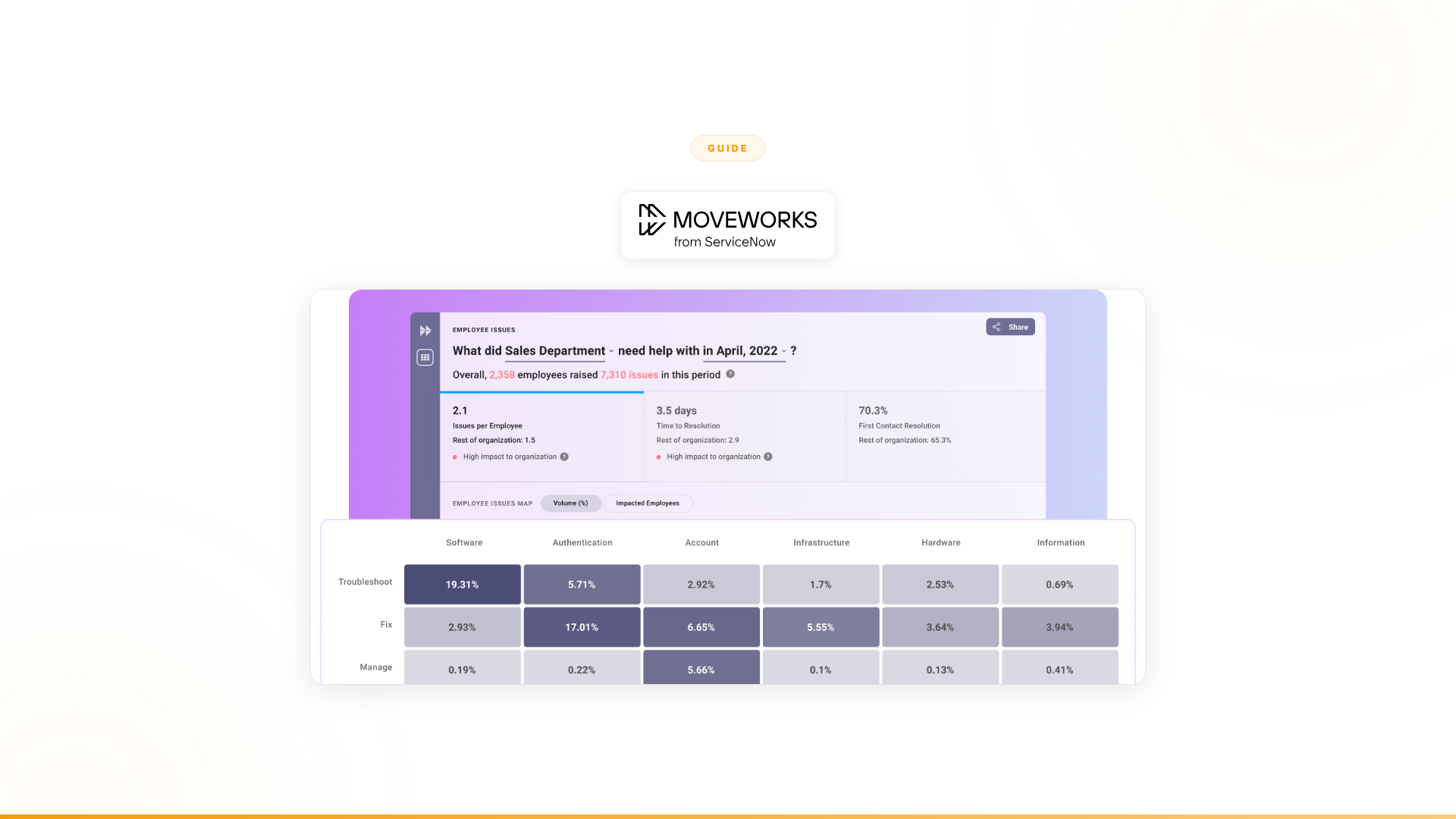
Tools in this category: Moveworks (acquired by ServiceNow for $2.85B in 2025), ServiceNow Virtual Agent, Freshservice Freddy, Espressive Barista, Rezolve.ai.
Typical result: 20–40% reduction in simple ticket volume, according to vendor benchmarks and industry analyst data. The IT team's workload shifts from answering repetitive questions to handling complex work that was always the real bottleneck.
The gap: Once you have deflected the easy tickets, you have not automated IT support. You have automated the easiest 20–40% of it. The remaining 60–80% is harder, higher-value, and untouched.
Level 2: Rule-based workflow automation for IT
What it does: Pre-defined automations handle structured IT workflows. When a ticket meets certain criteria, the system executes a set of steps automatically. If-this-then-that logic applied to IT operations.
What it automates: Predictable, well-defined processes. Employee onboarding where the steps are always the same. Software provisioning with standard approval chains.
What stays manual: Anything with judgment, exceptions, or ambiguity. Non-standard approval chains. Ambiguous categorization. Conflicting data across systems.
Tools in this category: ServiceNow Flow Designer, Workato, Zapier, Microsoft Power Automate.
Typical result: 10–20% additional workflow automation on top of ticket deflection — but only for the most predictable processes. And brittle: when a system changes, workflows break.
The gap: Rule-based automation handles the "golden path" where everything goes as expected. Enterprise IT is full of exceptions, edge cases, and judgment calls. That is where the time goes.
Level 3: Autonomous agents — the 60–80% of IT work chatbots can't touch
What it does: AI agents complete entire IT workflows end-to-end. They collect data from multiple systems, validate against business rules, make decisions within guardrails, handle exceptions intelligently, escalate uncertain cases with full context, and execute actions across systems. No pre-defined rules required for every scenario — the agent reasons through the process.
What it automates: The full workflow, including exceptions. Employee onboarding across 15 systems with role-based validation and exception handling. Incident investigation correlating alerts from multiple monitoring tools. License audits across 50 tools with remediation plans.
What stays manual: Truly novel situations and high-stakes decisions. But the agent handles 80–90% of the workflow, and escalations include full context so human decisions are fast.
Tools in this category: Nexus (platform plus embedded engineering), custom builds (if you have a dedicated AI engineering team).
Typical result: 40–90% autonomous resolution across the full scope of IT workflows — not just the simple tickets, but the complex work too.
How to automate IT support with AI agents: 6-step guide
Step 1: Map where your IT team's time actually goes
Before choosing any tool, understand the distribution of work. Most IT leaders overestimate how much time goes to the tickets that chatbots deflect, and underestimate how much goes to the complex workflows chatbots cannot touch.
Audit your ticket categories by volume and time:
| Category | % of tickets | Avg. time per ticket | % of IT team time | Deflectable by chatbot? |
|---|---|---|---|---|
| Password resets, account unlocks | ~15% | 5 min | ~3% | Yes |
| Software access requests | ~12% | 15 min | ~7% | Partially |
| Hardware/equipment requests | ~8% | 30 min | ~10% | Routing only |
| VPN/connectivity issues | ~10% | 10 min | ~4% | Yes (knowledge base) |
| New employee onboarding | ~5% | 120 min | ~25% | No |
| Incident investigation | ~8% | 90 min | ~30% | No |
| Access audits/compliance | ~3% | 180 min | ~15% | No |
| Everything else | ~39% | Varies | ~6% | Varies |
Representative estimates based on industry benchmarks. Gartner's 2025 research identifies agentic AI as the top technology trend for IT organizations, reflecting the shift from conversation-layer tools to workflow-execution systems.
The pattern is consistent across enterprises. Simple, deflectable tickets are high volume but low time. Complex workflows are low volume but consume most of your team's time. Chatbots address the first two rows. Agents address rows 5–7.
Step 2: Identify your highest-value automation targets
Focus on workflows that are high-volume, multi-step with exception-prone logic, spanning multiple systems, and measurable in business impact.
Common high-value IT automation targets:
| Workflow | Systems involved | Why agents work here |
|---|---|---|
| Employee onboarding/offboarding | HR system, Active Directory, SSO, 10–20 SaaS tools, compliance log | Dozens of provisioning steps with role-based exceptions |
| Software license management | SaaS management platform, procurement, usage analytics, contract database | Audit, reclamation, and negotiation prep across 50+ tools |
| Incident correlation and triage | Monitoring tools, change management, CMDB, communication platforms | Cross-system correlation with judgment about impact and urgency |
| Access review and certification | IAM, HR system, compliance platform, manager approval workflow | Periodic audit across every system with exception remediation |
| Change request processing | Change management, testing environments, approval chains, deployment | Multi-stage process with conditional approvals and rollback logic |
Step 3: Choose the right level of automation for each workflow
Not every IT workflow needs Level 3. Some are fine at Level 1 (deflect the question) or Level 2 (automate the golden path). Match the level to the workflow.
Level 1 (chatbot/deflection): Simple questions with answers in the knowledge base. Password resets. Policy lookups. Status checks. If the work ends when the question is answered, Level 1 is enough.
Level 2 (rule-based automation): Predictable workflows with minimal exceptions. Scheduled reports. Standard approval routing. Data syncs between systems. If the workflow follows the same path 95% of the time, rules work.
Level 3 (autonomous agents): Multi-step workflows with exceptions, judgment, and multi-system orchestration. Employee onboarding. Incident investigation. Compliance audits. License management. If the workflow regularly requires a human to think, an agent is the right approach.
Step 4: Start with a proof of concept tied to measurable outcomes
Do not buy a platform and figure out the use case later. Do not run a 12-month pilot. Start with one high-value workflow, define the success metrics upfront, and deploy in weeks.
What a good proof of concept looks like:
- Scope: One workflow. Specific. Measurable.
- Timeline: 4–12 weeks to production.
- Success metrics: Defined before you start — resolution time, autonomous completion rate, error rate, cost per resolution.
- Exit criteria: Clear thresholds. If the agent does not meet them, you stop. If it does, you expand.
What Orange did: Deployed customer onboarding agents in 4 weeks. 50% conversion improvement. Approximately $6M+ in yearly revenue impact. 90% autonomous resolution. That was the proof of concept. Then they expanded. (Nexus client data)
The pattern: start narrow, prove value with hard numbers, expand based on results.
Step 5: Choose whether to build or buy
This decision is more consequential than most IT leaders expect. Both paths can work. Neither is free.
Build (LangChain, LangGraph, custom): Full control, but requires a dedicated AI engineering team, 3–6 months for first production, plus ongoing maintenance as underlying models and APIs change.
Buy (IT-only tool): Fast deployment for IT use cases, but you are limited to IT scope and will repeat the entire evaluation when other departments need AI. Vendor lock-in risk is real — the ServiceNow acquisition of Moveworks for $2.85B (TechCrunch, March 2025) is a concrete example of how consolidation changes the product roadmap for customers who chose a point solution.
Buy (platform plus embedded engineering): Covers IT and every other department. Forward Deployed Engineers handle design, integration, deployment, and change management. Production in weeks. 4,000+ integrations. The platform approach means the integrations and governance built for IT carry forward to sales, CS, compliance, and HR — no repeated evaluation.
Step 6: Expand beyond IT
This is the step most IT automation guides do not include. But it is the most important one.
Once you have automated IT support workflows, every other department in the enterprise faces the same structural problem: high-volume, multi-step processes with judgment calls, exceptions, and multi-system dependencies. Sales. Customer support. Compliance. HR. Marketing. Operations.
If you chose an IT-only tool in Step 5, you are starting over for each department. New vendor evaluation. New integration. New deployment. New change management.
If you chose a platform, you have already built the foundation. Same governance. Same integrations. Same engineering support. Different workflows.
What expansion looks like in practice:
| Phase | Department | Workflow | Result |
|---|---|---|---|
| Phase 1 (POC) | IT | Employee onboarding automation | 80% autonomous completion, 70% time saved |
| Phase 2 | Customer support | Customer inquiry resolution | 40% support volume freed |
| Phase 3 | Sales | Account research and pipeline intelligence | 24,000+ hours of research capacity added |
| Phase 4 | Compliance | Regulatory audit and remediation | Cross-system audit automated end-to-end |
| Phase 5 | HR | Benefits enrollment and employee coordination | Multi-system process completed autonomously |
(Results from Nexus client deployments)
A European telecom with 13,000+ employees tried Copilot Studio for 6 months and delivered zero production use cases. After switching approach, a dozen agents across multiple workflows freed 40% of support volume. The difference was not the underlying technology — it was the engagement model: Forward Deployed Engineers embedded with the team, identifying the right use cases, handling integration complexity, and managing the organizational change.
5 mistakes to avoid when automating IT support with AI
Mistake 1: Stopping at ticket deflection
Deflecting the easy tickets is Step 1, not the destination. The 20–40% of tickets that chatbots handle are the lowest-value work your IT team does. The 60–80% that chatbots cannot touch is where the real time, cost, and impact live.
Mistake 2: Choosing a tool that only covers IT
Sales will need AI in 6 months. Customer support will need it in 9. Compliance in 12. Every IT-only tool you deploy becomes a silo that needs its own integration, governance, and vendor management. The more IT-only tools you deploy, the more fragmented your AI landscape becomes.
Mistake 3: Running a 12-month pilot
Good proofs of concept produce measurable outcomes in 4–12 weeks. A 12-month timeline usually reflects either the wrong use case or the wrong vendor model. If you cannot see production results in under a quarter, something structural is wrong with the approach.
Mistake 4: Expecting IT to own all enterprise AI
The highest-value AI use cases are usually outside IT: sales, customer operations, compliance. Business teams need to build and own their agents. The IT team's role is governance, security, and infrastructure — not building every automation for every department.
Mistake 5: Ignoring organizational change
Technology is 10% of the problem. Organizational change is the other 90%. This is why embedded engineering support matters: it does not just deploy technology. It manages the adoption, process shifts, and trust-building that make AI stick in production rather than becoming shelf-ware.
Real examples: enterprise IT support automation in production
Orange Group (multi-billion euro telecom, 120,000+ employees):
They did not start with IT helpdesk deflection. They started with customer onboarding — a multi-step, multi-system workflow that required data collection, validation, eligibility checks, and exception handling. Business team built the agents. Deployed in 4 weeks. 50% conversion improvement. Approximately $6M+ yearly revenue impact. 90% autonomous resolution. 100% team adoption. Then they expanded to internal support and freed 40% of customer service capacity. (Nexus client data)
European telecom (13,000+ employees):
Tried a major conversational AI platform for 6 months. Zero production use cases. Deployed a dozen Nexus agents. 40% of support volume freed across millions of interactions. The difference was the engagement model: Forward Deployed Engineers embedded with the team, who identified the right use cases, handled the complexity, and managed the change. (Nexus client data)
In both cases, the proof of concept converted to an annual contract — because the model proves value before you commit, not after.
Frequently asked questions
What percentage of IT support work can AI chatbots automate?
Ticket deflection tools typically automate 20–40% of IT tickets — primarily simple questions like password resets, policy lookups, and VPN troubleshooting. However, these represent only about 10–15% of IT team time. The highest-time workflows — employee onboarding, incident investigation, compliance audits — require autonomous agents, not chatbots. Gartner identified agentic AI as its top technology trend for 2025 precisely because the conversation layer has reached saturation and the execution layer is where the remaining gains live.
What is the difference between Moveworks and AI agents for IT support?
Moveworks (acquired by ServiceNow for $2.85B in March 2025) automates the conversation layer of IT: answering questions and resolving simple requests from a knowledge base. AI agents complete multi-step IT workflows end-to-end — onboarding across 15 systems, incident correlation from multiple monitoring tools, license audits with remediation plans. Different scope, different architecture. The acquisition reflects the market's recognition that conversation-layer tools alone are insufficient for enterprise IT automation.
Why should IT teams consider a platform rather than an IT-only tool?
An IT-only tool must be replaced or supplemented when sales, customer success, or compliance needs AI — typically within 6–12 months of the initial IT deployment. A platform approach means the integrations, governance, and agent design experience built for IT carry over to every subsequent department, eliminating repeated vendor evaluations, integration cycles, and change management effort.
How long does employee onboarding automation take to deploy?
With an enterprise agent platform and embedded engineering support, employee onboarding automation typically deploys in 4–8 weeks. The agent handles provisioning across all connected systems — HR, Active Directory, SSO, SaaS tools — with role-based exception handling and escalation for edge cases.
What happens to IT staff when AI agents automate their workflows?
IT staff shift from repetitive operational tasks — provisioning, compliance checks, incident routing — to strategic work: security architecture, system design, vendor management, and the exception handling that genuinely requires expertise. The workflows that took the most calendar time but required the least judgment are the first to automate, which means the team's remaining work gets more interesting, not less.
Getting started
If you are ready to move beyond ticket deflection and automate IT support at the workflow level:
- Map your IT team's time distribution. Understand where the hours actually go. The answer is usually not on the tickets the chatbot handles.
- Identify 2–3 high-value workflows that are multi-step, exception-prone, multi-system, and measurable.
- Run a focused proof of concept on one workflow. 4–12 weeks. Clear success metrics. Measurable outcomes.
- Expand to other IT workflows based on results.
- Expand to other departments. Same platform. Same governance. Different workflows. Every department has the same problem.
Every Nexus engagement starts with a 3-month proof of concept tied to measurable outcomes. Forward Deployed Engineers embed with your team from day one. You see the results before committing.
See the top 10 AI tools for IT helpdesk automation -->