How to Build AI Assistants for Your Team (and When to Move to Agents)
AI assistants help teams find answers. AI agents complete work. Here's how to build both, when each makes sense, and why most enterprises that start with assistants end up needing agents.
To build AI assistants for teams, follow five steps: define a specific role and task scope (support, sales, HR, or engineering — not "everyone"), choose the knowledge sources that team touches daily, select a platform matching your technical capacity, configure with role-specific context and guardrails, then measure usage and answer quality weekly. Most enterprise assistants plateau by month three — knowing when to upgrade to agents is as important as building the assistant well.
What AI assistants do — and what they can't do
An AI assistant helps an individual human complete a task faster. The human initiates the interaction, the AI responds, and the human decides what to do with the response.
Common assistant capabilities:
- Answer questions from company knowledge bases (policies, procedures, product docs)
- Draft content (emails, reports, summaries, meeting notes)
- Search across enterprise systems (find documents, surface relevant information)
- Summarize long documents, threads, or meeting transcripts
- Translate content between languages
- Generate templates, outlines, and first drafts
These are genuinely useful tasks. For knowledge workers who spend hours searching for information, drafting content, or summarizing documents, a well-built assistant saves real time. According to McKinsey's 2025 workplace AI research, employees using AI tools report an average 40% productivity boost, with controlled studies showing 25–55% improvements depending on function. Federal Reserve research found that knowledge workers using generative AI saved 5.4% of work hours weekly — with frequent users saving over 9 hours per week.
What assistants don't do:
- Complete multi-step workflows across multiple systems
- Make autonomous decisions within business rules
- Handle exceptions without human intervention
- Execute actions in CRMs, ERPs, ticketing systems, or communication channels
- Orchestrate data collection, validation, routing, and action across a process
- Operate continuously without a human initiating each interaction
The structural limitation isn't configurable. You can't make an assistant into an agent by adding features. The architecture is different. Assistants are reactive (human asks, AI responds). Agents are proactive (work arrives, agent completes it).
How to build an AI assistant for your team: 5-step guide
If your use case is genuinely at the assistant level — knowledge access, content drafting, search — here's how to build one that actually gets used.
Step 1: Define scope — one team, one set of tasks
The most common mistake is building an assistant that tries to do everything. General-purpose assistants produce generic answers. Role-specific assistants produce useful ones.
Pick a specific team and a specific set of tasks:
- Support team: answer questions from product documentation, generate response templates, summarize ticket history
- Sales team: surface competitive intel, draft outreach messages, summarize account history
- HR team: answer policy questions, generate offer letter drafts, summarize employee handbooks
- Engineering team: search code documentation, summarize technical specs, draft release notes
One team, one set of tasks, one knowledge scope. You can expand later. Starting narrow produces something useful. Starting broad produces something mediocre.
Step 2: Choose knowledge sources and integrations
The assistant is only as good as the knowledge it can access. Map which systems contain the information your target team needs:
| Knowledge type | Common sources |
|---|---|
| Company policies and procedures | Notion, Confluence, SharePoint, Google Drive |
| Product documentation | Notion, GitBook, ReadMe, internal wikis |
| Customer context | CRM (Salesforce, HubSpot), support tickets (Zendesk, Intercom) |
| Team communication | Slack, Microsoft Teams |
| Code and technical docs | GitHub, GitLab, Jira |
| Training materials | Google Drive, LMS platforms |
You don't need every source connected on day one. Start with the 2–3 sources that cover 80% of your target team's questions. Add more as you learn what people actually ask.
A critical consideration that most build guides skip: knowledge freshness. An assistant trained on static snapshots of documentation becomes unreliable as soon as the underlying knowledge changes. Choose platforms with automated re-indexing (daily or continuous) rather than manual sync. For regulated industries, establish a clear data governance policy: define which systems the assistant can read from, whether it can surface PII, and how access is scoped per user role.
Step 3: Choose a platform — or build
Three options, each with different tradeoffs:
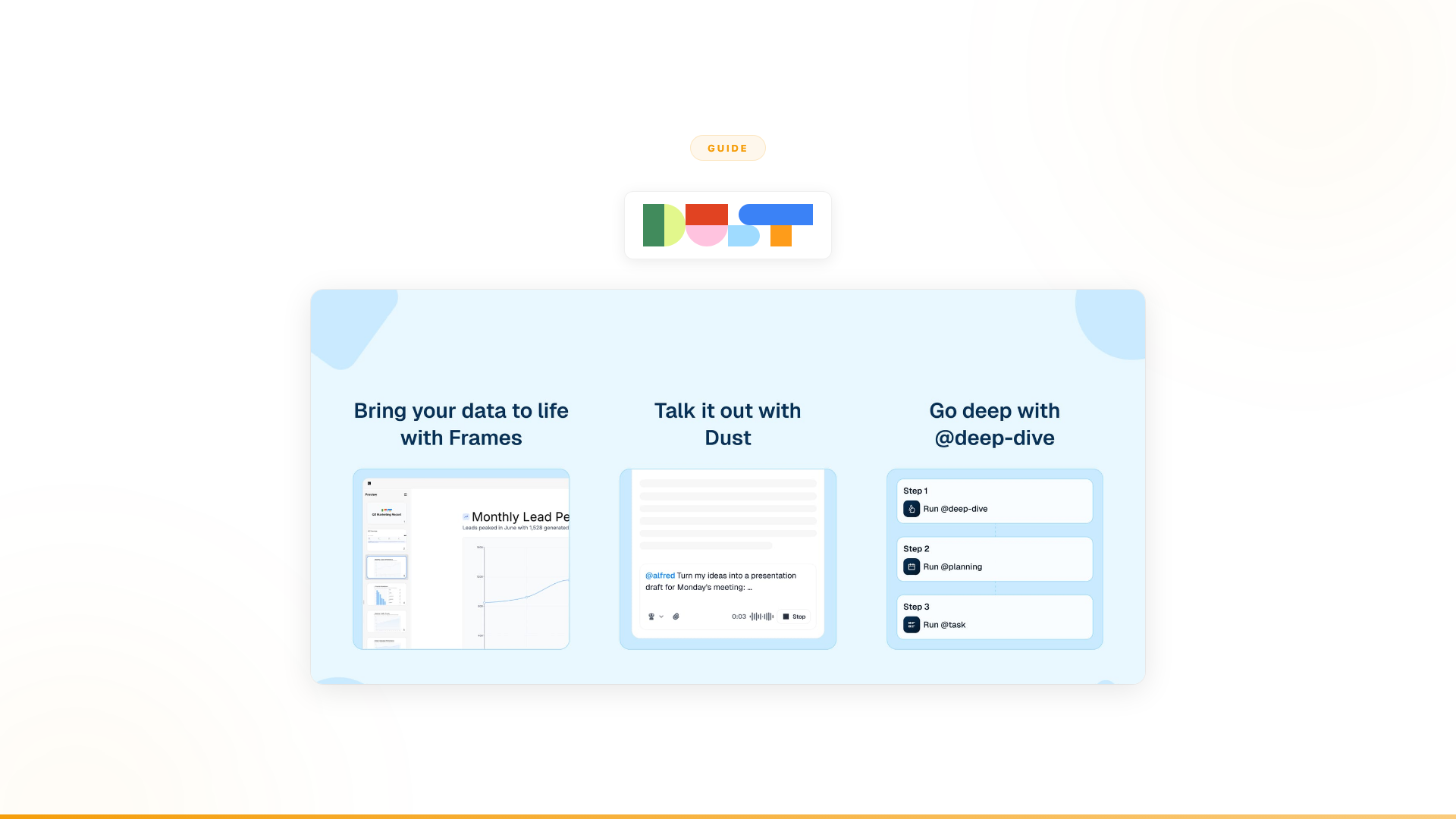
Use a platform (Dust, Notion AI, Glean, Langdock):
- Fastest to deploy (days to weeks)
- Limited customization
- Per-user pricing scales with headcount
- Best for: teams that want AI-assisted productivity without engineering investment
Use an enterprise suite (Microsoft 365 Copilot, Gemini for Workspace):
- Native integration with your existing ecosystem
- Even more limited customization; Copilot is capped at 15 data source integrations
- Locked to one vendor's tools
- Best for: teams fully committed to Microsoft or Google
- Caution: Gartner data shows only 6% of enterprises that pilot Microsoft 365 Copilot successfully move to large-scale deployment — the most common reason is that it doesn't address business processes, only surface-level productivity
Build custom (LangChain, LlamaIndex, raw API calls):
- Maximum flexibility
- Requires engineering capacity (weeks to months)
- You own the maintenance
- Best for: teams with specific requirements no platform covers
For most teams, a platform is the right starting point. The speed-to-value difference is significant: days versus months. If the platform hits a ceiling, you can migrate later with a clear understanding of what you actually need.
Step 4: Design for adoption, not features
The most common failure mode for AI assistants isn't bad answers. It's low adoption. People forget to use them.
Design choices that drive adoption:
- Deploy where people already work. If your team lives in Slack, the assistant should be a Slack bot. If they live in Teams, put it there. A separate web app that requires a new login gets abandoned.
- Make the first interaction effortless. If someone has to configure settings, choose a model, or understand how the system works before getting value, you've lost them.
- Start with the questions people ask most. Audit your team's Slack channels and support tickets for the 20 questions that come up repeatedly. Make sure the assistant answers those well on day one.
- Measure answer quality, not just usage. Thumbs up/down on responses, with a feedback loop that improves the knowledge base. An assistant that gives wrong answers is worse than no assistant.
Key metrics to track weekly:
- Weekly active users (adoption rate vs. total team size)
- Task completion rate (percentage of queries that produce a useful output)
- Time saved per user per week (user survey, even informal)
- Error rate (incorrect or outdated answers surfaced in feedback)
Step 5: Set expectations before you deploy
This is the step most teams skip, and it's why leadership ends up disappointed.
An assistant will:
- Help individuals find information faster
- Reduce time spent on drafting and summarizing
- Make knowledge more accessible across the team
- Save 30–60 minutes per person per week for active users
An assistant will not:
- Transform business processes
- Reduce headcount requirements for high-volume workflows
- Complete multi-step procedures across systems
- Generate measurable revenue or cost savings at the organizational level
- Replace the need for humans to make decisions and take actions
If leadership expects process transformation, set that expectation clearly before deployment. Assistants deliver individual productivity gains. They don't deliver organizational transformation. Conflating the two leads to the plateau pattern that's become common across enterprises: real adoption, real individual value, but no structural change to how the business operates.
When to upgrade from AI assistants to AI agents
Here's the pattern that tells you you've hit the assistant ceiling:
- The assistant gets adopted. People use it. The technology works.
- Usage plateaus. After the initial spike, people use it occasionally for drafting and searching. It becomes a nice-to-have, not a workflow essential.
- Processes stay manual. The high-volume, multi-step work that consumes the most resources remains entirely human-driven. The assistant helped people find information about those processes but didn't change the processes themselves.
- Leadership asks the wrong question. "How do we get more adoption?" The real question is: "Is this the right category of tool for what we're trying to achieve?"
The answer, in most cases, is no. The goal was never "help individuals draft emails 20% faster." The goal was "transform how our customer onboarding works" or "reduce the manual effort in our compliance process" or "automate our lead qualification pipeline." Those are workflow problems, not knowledge access problems. Workflows require a different architecture.
AI assistant vs. AI agent: comparison for enterprise teams
An AI agent doesn't help a human complete work. It completes the work.
The architectural difference is fundamental:
| AI Assistant | AI Agent | |
|---|---|---|
| Who drives | Human initiates, AI responds | Work arrives, agent executes |
| Depth of work | Surface-level: draft, summarize, search, answer | Deep: collect, validate, decide, act, escalate |
| Systems touched | Reads from knowledge sources | Reads from and writes to CRMs, ERPs, ticketing, comms, databases |
| Decision-making | Surfaces information for humans to decide | Makes decisions within guardrails, escalates when uncertain |
| Exception handling | Hands exceptions to humans | Handles exceptions intelligently, escalates with context |
| Value measurement | Individual time saved | Revenue generated, costs reduced, capacity freed |
| Adoption model | Human has to remember to use it | Agent processes work as it arrives, embedded in existing channels |
A practical example makes the distinction concrete:
Assistant approach to customer onboarding: An employee opens a chat interface and asks: "What's the onboarding procedure for a new enterprise customer in France?" The assistant finds the procedure document and summarizes it. The employee reads it, then manually collects customer data from the CRM, validates it against the billing system, checks compatibility in the product database, sends a welcome email, creates a Jira ticket for provisioning, and logs the result. The assistant answered a question. The employee did the work.
Agent approach to customer onboarding: A new customer signs up. The agent automatically collects customer data from the CRM, validates identity against compliance systems, checks service compatibility in the product database, provisions the account, sends a personalized welcome message through the customer's preferred channel, creates the internal tracking ticket, and logs every step with a full audit trail. If something doesn't match — identity verification fails, service isn't available in their region — the agent escalates to the right person with complete context. The agent did the work. The human stepped in only when judgment was needed.
That's the difference between AI that helps people work and AI that does the work.
Gartner projects that 40% of enterprise applications will feature task-specific AI agents by the end of 2026, up from less than 5% in 2025 — a signal that the market is moving fast from assistants toward agents for core business processes.
When to build an assistant vs. when to deploy agents
This isn't always-agents or never-assistants. Both have legitimate use cases. The right choice depends on what problem you're solving.
Build an assistant when:
- The problem is knowledge access ("our team can't find what they need")
- The work is inherently single-user, single-step (drafting, summarizing, searching)
- Human judgment is required at every step and the volume is low enough for that
- You want to experiment with AI before committing to process transformation
- Per-user economics work at your scale
Deploy agents when:
- The problem is process efficiency ("this workflow takes too many manual steps across too many systems")
- The work is multi-step, multi-system, and high-volume
- The same decisions get made thousands of times with consistent rules
- You need measurable business outcomes (revenue, cost reduction, capacity)
- Leadership expects AI to transform operations, not just assist individuals
Most enterprises discover they need both, but at different layers. Assistants for individual productivity (the "help me draft this" layer). Agents for process execution (the "complete this workflow" layer). The mistake is trying to use assistants for the process layer — that's the category error that leads to the plateau.
How to deploy agents without building from scratch
If your needs are at the agent level, you have three options:
Option 1: Build internally. Maximum flexibility, maximum cost. Requires a dedicated AI engineering team, 3–6 months for a first production agent, and ongoing maintenance. For most enterprises, the opportunity cost of allocating scarce engineering resources to infrastructure rather than product is too high.
Option 2: Use a framework (CrewAI, LangGraph). Gives your engineering team building blocks for multi-agent systems. Still requires you to build integrations, governance, compliance, monitoring, and deployment infrastructure yourself. Faster than starting from zero, but still engineering-heavy.
Option 3: Use an agent platform with embedded engineering. This is what Nexus provides. An autonomous agent platform paired with Forward Deployed Engineers who embed with your team. Business teams build and own the agents. 4,000+ integrations. Full governance and compliance. Agents go live in production within weeks, not months.
What this looks like in practice:
- Orange Group deployed autonomous customer onboarding agents across multiple European markets in 4 weeks: 50% conversion improvement, approximately $6M+ yearly revenue impact, 90% autonomous resolution, 100% team adoption. Built by the business team, not engineering.
- A European telecom freed 40% of support volume across millions of interactions after Copilot Studio failed to deliver a single production use case in 6 months.
The reason option 3 works at enterprise scale is the service layer. Deploying AI that completes work — not just assists workers — changes how entire teams operate. That's 10% technology and 90% organizational change. Forward Deployed Engineers handle both.
The honest conclusion
If your goal is helping individuals find information and draft content faster, build an assistant. Use a platform (Dust, Notion AI, Glean, or whatever fits your ecosystem). Deploy it where your team already works. Set expectations that it delivers individual productivity, not process transformation. You'll get real value from it.
If your goal is completing work — reducing manual effort in high-volume workflows, generating revenue from processes that are currently bottlenecked by human capacity, freeing up teams to focus on judgment calls instead of routine execution — agents are the right architecture. Assistants can't get you there regardless of how well you build them. The limitation is structural, not configurable.
Most enterprises that come to Nexus went through the assistant phase first. They deployed Copilot, Dust, or something similar. It worked for what it was. But it didn't transform the processes that matter most. That's not a failure — it's a signal that the goal requires a different category of tool.
Frequently asked questions
What is the difference between an AI assistant and an AI agent for teams?
An AI assistant is reactive: a human asks, the AI responds with information or content. An AI agent is proactive and autonomous: it completes multi-step workflows, executes actions in CRMs, ERPs, and other systems, handles exceptions, and operates without a human initiating each interaction. Assistants improve individual productivity; agents transform business processes.
What is the best platform for building AI assistants for business teams?
Platform choice depends on technical resources and use case complexity. Dust and Microsoft Copilot Studio are popular for team knowledge assistants. Glean and Hebbia handle enterprise search well. For teams fully embedded in the Microsoft ecosystem, Microsoft 365 Copilot is the path of least resistance — though Gartner data shows only 6% of pilots reach large-scale deployment. For assistants that need to escalate to autonomous workflow completion, an agent platform gives you room to grow beyond what assistant-only tools support.
Why do enterprise AI assistants often plateau in adoption after the first few months?
Assistants improve speed on surface-level tasks — drafting, summarizing, searching — but don't change business processes. Teams discover the AI helps write faster but doesn't resolve customer issues, complete onboarding, or manage compliance workflows. The structural limitation: assistants are reactive and single-session. Business processes require multi-step, multi-system, proactive completion. McKinsey research identifies this as the gap between AI that lifts individual performance and AI that drives organizational-level business impact.
When should I build an AI agent instead of an AI assistant?
Build an agent when the work involves multiple systems (not just knowledge retrieval), autonomous decision-making within business rules, completion of multi-step processes across hours or days, and continuous operation without human initiation. Customer onboarding, compliance monitoring, support triage, and sales intelligence are agent use cases — not assistant use cases.
How do I measure whether an AI assistant is delivering value for my team?
Track five metrics: weekly active users (adoption rate), task completion rate (percentage of queries that produce a useful output), time saved per user per week (via user survey), error rate (incorrect or outdated answers surfaced through feedback), and whether the assistant has influenced a downstream business metric — reduced Slack questions to senior staff, fewer escalated support tickets, faster proposal turnaround. If none of these move after 90 days, the problem is likely scope, not the assistant itself.
Worth exploring?
If your team has already deployed an AI assistant and you're wondering why adoption plateaued or why the business impact stayed at the individual level, the answer is probably structural. Assistants are built for a different job than the one you're trying to fill.
Every Nexus engagement starts with a 3-month proof of concept tied to measurable outcomes. Forward Deployed Engineers embed with your team from day one. You see the results before committing. You can exit anytime.