To automate customer support with AI agents, move beyond ticket deflection to autonomous workflow completion: agents that access CRM, billing, compliance, and communication systems to resolve the full service workflow end-to-end. Start by mapping the operational work behind your top 10 ticket types, then deploy agents on the highest-volume, most consistent workflows first — that is where 90% of the cost actually sits.
Most customer support automation delivers marginal improvement — not because the technology is bad, but because it automates the wrong part of the problem.
FAQ bots handle the easy questions. Ticket deflection tools reduce conversation volume. AI-powered triage routes tickets faster. Each of these is useful. And each addresses a slice of what makes customer support expensive: the sheer volume of repetitive interactions.
But here is what the ROI reports do not show. After you have deflected 40% of conversations, the remaining 60% still takes just as long per ticket. Your agents still navigate five systems to resolve a billing issue. They still copy data between platforms. They still check compliance manually. They still wait for approvals from other departments.
The conversation was the easy part. The work behind it was always the expensive part.
This guide covers the full progression of customer support automation — from where most organizations start (FAQ bots) to where the actual transformation happens (autonomous agents that complete the work behind every ticket). Along the way, it explains why each stage delivers diminishing returns and what it takes to reach the next one.
3 stages of customer support automation: FAQ bots, conversational AI, autonomous agents
Stage 1: FAQ bots — what they automate and why they plateau
What it automates: Answers to predictable, common questions. "What's your return policy?" "How do I reset my password?" "What are your hours?"
How it works: You define a set of questions and answers. The bot matches incoming messages to known intents and serves the corresponding response. More advanced versions use NLU to handle variations in how customers phrase questions.
Typical results: 15–25% of conversations handled. CSAT depends on match quality. Fast deployment (days to weeks).
Why it plateaus: FAQ bots handle the questions that were already cheap to answer. A human agent answering "what's your return policy" takes 30 seconds. Automating that saves 30 seconds. The tickets that cost your team 15 minutes each — billing disputes, account issues, multi-step troubleshooting — still go straight to humans. You have automated the least expensive interactions.
Who it is good for: Teams that genuinely just need FAQ automation. Small support operations where every minute saved matters. Companies with extremely high volume of truly repetitive questions.
Stage 2: Conversational AI — where most teams are stuck
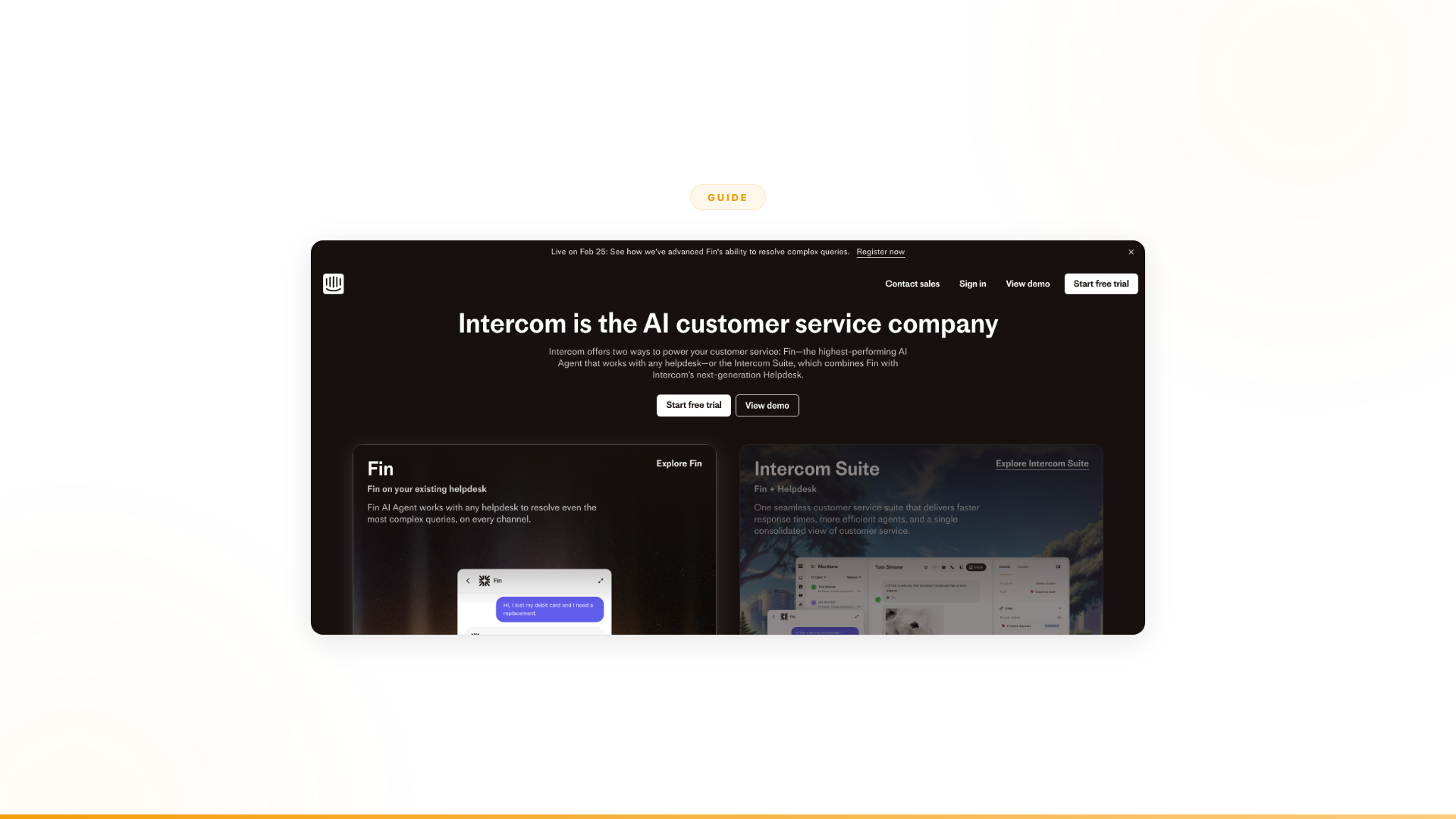
What it automates: Multi-turn conversations, guided troubleshooting, intelligent routing, auto-resolution of moderate-complexity issues. This is where tools like Ada, Intercom Fin, Zendesk AI, and Kore.ai live.
How it works: AI handles more complex conversations. Instead of matching to a fixed answer, it guides customers through troubleshooting steps, asks clarifying questions, and resolves issues that follow known patterns. When it cannot resolve, it routes to humans with context. Some platforms (Ada, Forethought) add reasoning engines that handle multi-step conversational logic.
Typical results: 30–50% of conversations deflected. Resolution quality improves with training. Implementation takes weeks to months. Cost ranges from five to six figures annually depending on volume.
Why it plateaus: This is where most organizations are right now, and where most hit the ceiling.
Ticket deflection reduces conversation volume. That is real. But it does not reduce the work per remaining ticket. The 50–60% of tickets that still reach humans are the complex, multi-system, exception-laden tickets that always took the most time. And now they are a higher proportion of your remaining volume.
Your team went from handling 100 tickets a day (40 easy, 60 complex) to handling 60 tickets a day (all complex). The per-ticket cost actually went up because you have filtered out the easy ones. The hard work — navigating CRM, checking inventory, validating compliance, coordinating with other departments, processing actions across systems — is unchanged.
This is why customer service AI ROI plateaus at Stage 2. You have optimized the conversation. You have not touched the work.
Who it is good for: Teams where the conversation really is the bottleneck. High-volume operations with a large proportion of repetitive, resolvable inquiries. Companies where human agents are overwhelmed by conversation volume specifically.
Stage 3: Autonomous agents — automating the work behind every ticket
What it automates: The full service workflow. Not just the conversation, but the operational work behind it: pulling data from multiple systems, validating information against business rules, making decisions within guardrails, handling exceptions intelligently, executing actions across platforms, and routing edge cases with full context.
How it works: AI agents connect to your enterprise systems (CRM, ERP, billing, compliance, communications, ticketing) and complete multi-step business processes end-to-end. When a customer contacts support about a billing issue, the agent does not just talk to them about it. It accesses the billing system, identifies the discrepancy, validates the resolution against policy, processes the adjustment, updates the CRM, sends confirmation, and logs the interaction for audit. If it hits an exception it cannot handle, it escalates with full context and a recommended resolution.
Typical results: 40–90% autonomous resolution of full workflows — not just conversations deflected, but work completed. Revenue impact, not just cost reduction.
This is the stage where the math changes fundamentally. You are not saving 30 seconds per FAQ or deflecting easy conversations. You are completing the 15-minute, multi-system processes that represent the real cost of customer service. Gartner predicts that agentic AI will autonomously resolve 80% of common customer service issues without human intervention by 2029, leading to a 30% reduction in operational costs (Gartner, March 2025).
Why most organizations are not here yet: Three reasons.
First, it requires a different category of technology. Chatbots and conversational AI platforms were built around dialogue. Autonomous agents are built around work. The architecture, integrations, decision logic, and governance model are fundamentally different.
Second, it requires deep integration with enterprise systems — not just your helpdesk, but your CRM, billing, inventory, compliance, HR, and communications. An agent that completes work needs to access the same systems a human agent navigates manually.
Third, it requires organizational change. When agents complete work autonomously, processes change. Roles change. Escalation paths change. This is not a software deployment. It is an operational transformation that requires hands-on support.
Why customer service AI ROI plateaus (the 10%/90% problem)
The economics are straightforward.
In a typical customer service operation, the conversation layer — greeting the customer, understanding their issue, providing an answer or routing to the right team — represents roughly 10% of the total cost and effort. The operational work behind that conversation (cross-system data retrieval, validation, decision-making, exception handling, action execution) represents the other 90%.
Most customer service AI targets the 10%: FAQ bots, conversational AI, ticket deflection, triage and routing. All conversation-layer tools.
That is why the improvement is marginal. Even if you automate the conversation layer perfectly (100% of conversations handled by AI), you have addressed 10% of the total cost. The 90% behind it stays manual.
Industry benchmarks give this real weight. Enterprise support tickets cost $15–$60 each depending on complexity and industry (LiveChat AI, 2025). B2B enterprise support averages $30–$60 per ticket; SaaS technical support runs $25–$100 when engineering is involved. When agents navigate 5–7 systems per complex ticket, the operational work — not the conversation — drives that cost.
Here is what that looks like in practice:
| Metric | Before AI | After Stage 2 (conversational AI) | After Stage 3 (autonomous agents) |
|---|---|---|---|
| Conversations handled by AI | 0% | 40–50% | 80–90% |
| Operational work automated | 0% | ~5% (simple actions only) | 40–90% |
| Cost per resolution | Baseline | 15–25% lower | 60–80% lower |
| Agent time on manual work | 100% | 85–90% | 10–30% |
| Revenue impact | None | None (cost play only) | Direct (completed workflows drive revenue) |
| Time to deploy | N/A | Weeks to months | 4–12 weeks with FDEs |
The jump from Stage 2 to Stage 3 is where the transformation happens. Not incrementally better conversations — fundamentally different work completion.
Real examples: autonomous customer support agents in production
From chatbot drop-outs to completed onboarding
Orange Group (multi-billion euro telecom, 120,000+ employees) had a CX chatbot at Stage 2. It deflected conversations. It also had a 27% drop-out rate. Customers would start the onboarding conversation, reach the point where the chatbot could not actually complete what they needed — system validation, compatibility checks, account creation — and leave. The conversation was automated. The work was not. So customers bounced.
They moved to Stage 3 with Nexus. Autonomous agents that complete the full onboarding workflow: collecting customer data via conversation, validating it against multiple backend systems, checking service compatibility, processing the signup, handling exceptions, routing edge cases.
The results (Nexus client data):
- 50% conversion improvement — customers complete the process instead of dropping out
- ~$6M+ yearly revenue impact
- 90% autonomous resolution
- 4-week deployment
- 100% team adoption
- Built by the business team, not engineering
The critical difference: the chatbot could talk about onboarding. The agent completes onboarding. One deflects the conversation. The other does the work.
From ticket deflection to operational transformation
A European telecom (13,000+ employees, million+ interactions) needed agents that work across support, compliance, registration, and escalation handling — multiple departments, regulatory requirements, cross-system coordination.
Stage 2 tools would have handled the conversation layer of support tickets. The compliance checks, regulatory validation, cross-department coordination, and exception handling would have stayed entirely manual.
Stage 3 result (Nexus client data): 40% of support capacity freed — not by deflecting conversations, but by completing the operational work behind them. Full regulatory compliance maintained across millions of interactions. Agents adapt when regulations change without requiring a rebuild. 12-week deployment.
How to implement autonomous customer support: 5-step guide
Moving from conversational AI (Stage 2) to autonomous agents (Stage 3) is not a platform upgrade. It is a category shift. Here is what it actually requires.
Step 1: Map the work behind your conversations
Most support teams know their top ticket categories: billing questions, account changes, technical troubleshooting, returns and refunds. What they often have not mapped is the operational work behind each category.
For each of your top 10 ticket types, answer:
- How many systems does an agent touch to resolve this?
- What data do they retrieve, from where?
- What business rules or policies do they check?
- What decisions do they make (and what is the decision logic)?
- What exceptions occur, and how are they handled?
- What actions do they take at the end (and in which systems)?
- How long does the operational work take vs. the conversation?
This map reveals where the 90% actually sits. It also reveals which ticket types have the highest automation potential: high volume, consistent process, clear decision logic, and significant operational work behind the conversation.
Step 2: Identify the highest-value workflows
Not all support workflows are equal candidates for Stage 3 automation.
High-value targets:
- High volume (thousands of instances per month)
- Consistent process (same steps each time, with known exceptions)
- Multiple systems involved (CRM + billing + compliance + communications)
- Significant operational work behind the conversation
- Clear business rules for decision-making
- Measurable outcome (revenue, cost, compliance, speed)
Lower-priority targets:
- Low volume, highly unique situations
- Processes that change frequently and unpredictably
- Pure judgment calls with no consistent logic
- Situations requiring deep empathy or relationship management
Start with 2–3 high-value workflows. Prove the model. Then expand.
Step 3: Get the integration depth right
Stage 2 tools integrate with your helpdesk. Stage 3 agents integrate with everything a human agent touches: CRM, ERP, billing, inventory, compliance, communications, document management, scheduling.
This is where most DIY attempts stall. Building and maintaining integrations with 10+ enterprise systems is an engineering project that never ends. APIs change. Systems update. Edge cases emerge.
Nexus connects to 4,000+ enterprise systems out of the box. More importantly, Forward Deployed Engineers handle the integration complexity — they have connected to systems your team has not even considered yet because they have done it across dozens of enterprise deployments.
Step 4: Start with a proof of concept tied to measurable outcomes
Do not roll out autonomous agents across all of support on day one. Pick one high-value workflow. Deploy agents for that specific process. Measure the outcomes: resolution rate, processing time, error rate, customer satisfaction, revenue impact.
Every Nexus engagement starts with a 3-month POC tied to specific metrics. FDEs embed with your team, identify the highest-impact starting point, design and deploy agents for that workflow, and measure results against agreed outcomes.
Step 5: Expand systematically
Once the first workflow is proven, expand. The infrastructure is in place. The integrations are built. The team understands how agents work. Each subsequent workflow deploys faster than the last.
Orange started with customer onboarding. The European telecom expanded across support, compliance, registration, and escalation handling. The pattern is consistent: start with one high-value workflow, prove the ROI, then expand to adjacent processes. Each expansion compounds the value because agents share integrations, governance, and the organizational knowledge your team has built.
5 mistakes to avoid when automating customer support
Mistake 1: Automating the conversation and calling it transformation. Deflecting 40% of FAQ tickets is cost reduction. It is not transformation. Transformation means the work behind tickets gets completed autonomously. If your agents are still navigating five systems per ticket, you have not transformed anything. You have optimized the cheapest part.
Mistake 2: Measuring success by deflection rate. Deflection rate measures how many conversations you avoided. It does not measure how much work you completed. A 50% deflection rate with zero operational automation means you saved conversation time and touched nothing else. Measure work completed, not conversations deflected.
Mistake 3: Buying a better chatbot when the chatbot is not the problem. Switching from Ada to Intercom (or vice versa) is switching conversation tools. If the reason your current tool is not delivering is that the operational work behind conversations stays manual, a better conversation tool will not fix it. You need a different category of solution.
Mistake 4: Trying to build Stage 3 on top of Stage 2 tools. Conversational AI platforms were architected around dialogue. Bolting workflow completion onto a chatbot does not work. The integrations, decision logic, exception handling, and governance model required for autonomous work completion are fundamentally different from what conversation platforms were built to do.
Mistake 5: Underestimating the organizational change. When agents complete work autonomously, everything changes: escalation paths, team roles, quality assurance, compliance processes. This is not a software deployment. It is an operational shift. Having embedded engineers who have guided this transition at other enterprises makes the difference between a successful rollout and a stalled pilot.
Frequently asked questions
What is the difference between a chatbot and an AI agent for customer support?
A chatbot handles the conversation layer — answering questions, deflecting tickets, routing to humans. An AI agent completes the full service workflow: accessing CRM, billing, and compliance systems, making decisions within guardrails, executing actions, and logging results. Chatbots automate roughly 10% of the work (the conversation); agents automate the other 90% (the operational process behind it).
Why does customer support AI ROI often disappoint?
Most customer service AI targets the conversation layer, which represents roughly 10% of total cost and effort. The operational work behind conversations — cross-system data retrieval, validation, decision-making, exception handling — represents 90% of cost and stays manual. Stage 2 tools deflect conversations; they do not complete the work. That is why ROI plateaus even after strong deflection rates.
How do I measure the success of customer support automation?
Measure work completed, not conversations deflected. Key metrics: autonomous resolution rate (percentage of full workflows completed without human intervention), cost per resolution, revenue impact, and customer satisfaction scores. Deflection rate alone measures only the cheapest part of support.
How long does it take to deploy Stage 3 customer support automation?
With an enterprise agent platform and embedded engineering support, most enterprises deploy a first production agent in 4–12 weeks. Orange moved from a 27% chatbot drop-out rate to 90% autonomous resolution in 4 weeks.
Can AI agents maintain compliance in regulated industries?
Yes. Enterprise agent platforms include full audit trails, decision traceability, role-based access, and compliance certifications (SOC 2 Type II, ISO 27001, GDPR). Every agent action is logged with the data that informed it and the rules that applied. A European telecom maintained full regulatory compliance across millions of interactions using autonomous agents, with the system adapting automatically when regulations changed.
The bottom line
Customer support automation has three stages. Most organizations are stuck at Stage 2: conversational AI that deflects tickets but does not complete the work behind them. The ROI plateaus because the conversation was always the cheap part.
Stage 3 — autonomous agents that complete the full service workflow — is where the transformation happens. Not incrementally better conversations, but fundamentally completed work. Revenue impact, not just cost savings. Freed capacity for the work that actually requires human judgment.
Gartner projects that agentic AI will autonomously resolve 80% of common customer service issues by 2029, and 85% of customer service leaders are already piloting conversational AI in 2025 (Gartner, December 2024). The gap between organizations that have moved to Stage 3 and those still at Stage 2 will widen quickly.
Getting there requires a different category of technology, deep enterprise integrations, and hands-on support for the organizational change it creates.
That is what Nexus was built for. Platform plus Forward Deployed Engineers. Orange went from a 27% chatbot drop-out rate to ~$6M+ yearly revenue impact with autonomous onboarding agents. A European telecom freed 40% of support capacity across millions of interactions.
Worth exploring?
Every Nexus engagement starts with a 3-month proof of concept tied to measurable outcomes. Forward Deployed Engineers embed with your team from day one. You see the results before committing. You can exit anytime.
100% of clients who started a POC converted to an annual contract. Every one.